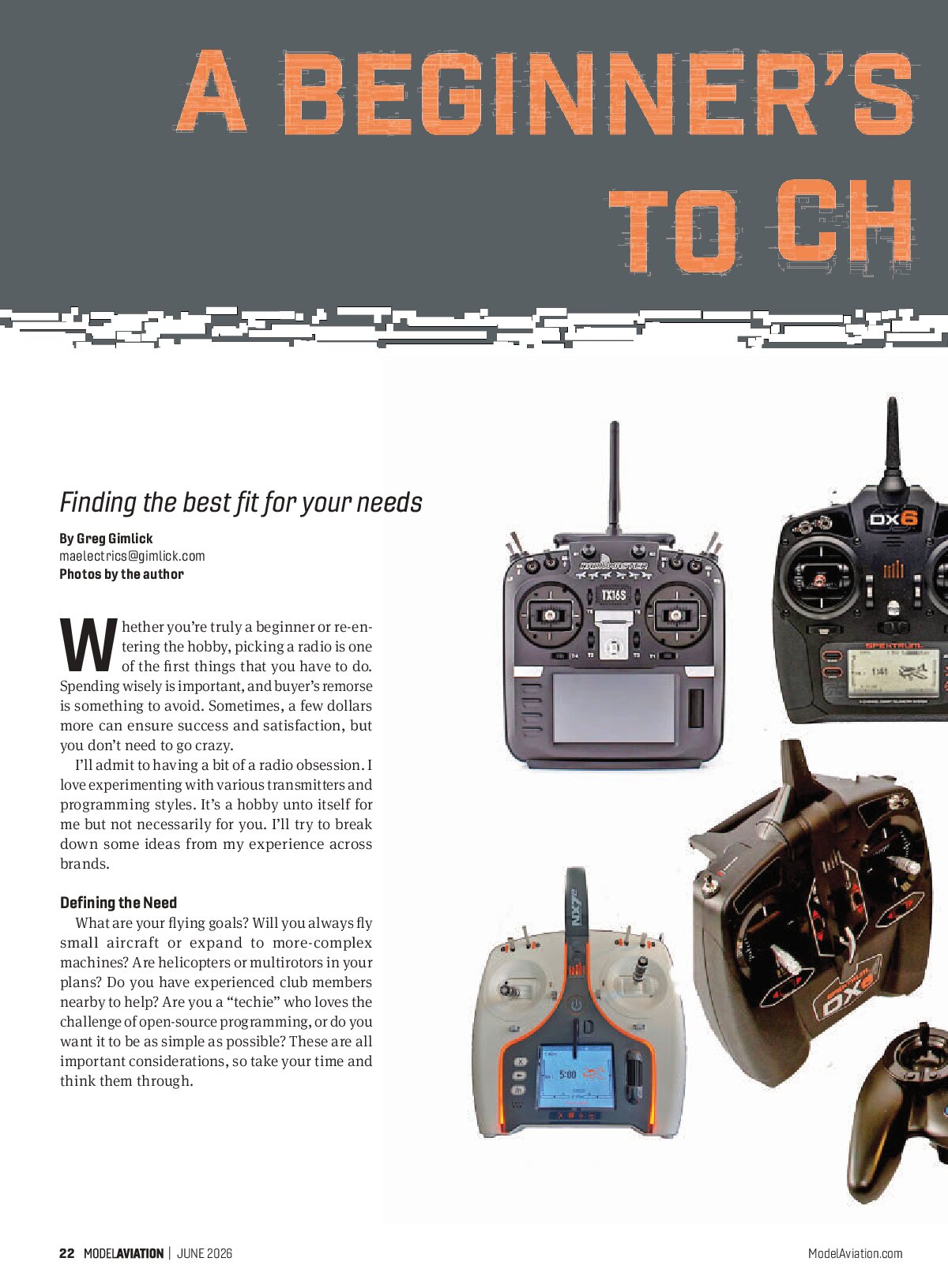
Finding the best fit for your needs
Whether you’re truly a beginner or re-entering the hobby, picking a radio is one of the first things that you have to do. Spending wisely is important, and buyer’s remorse is something to avoid. Sometimes, a few dollars more can ensure success and satisfaction, but you don’t need to go crazy.
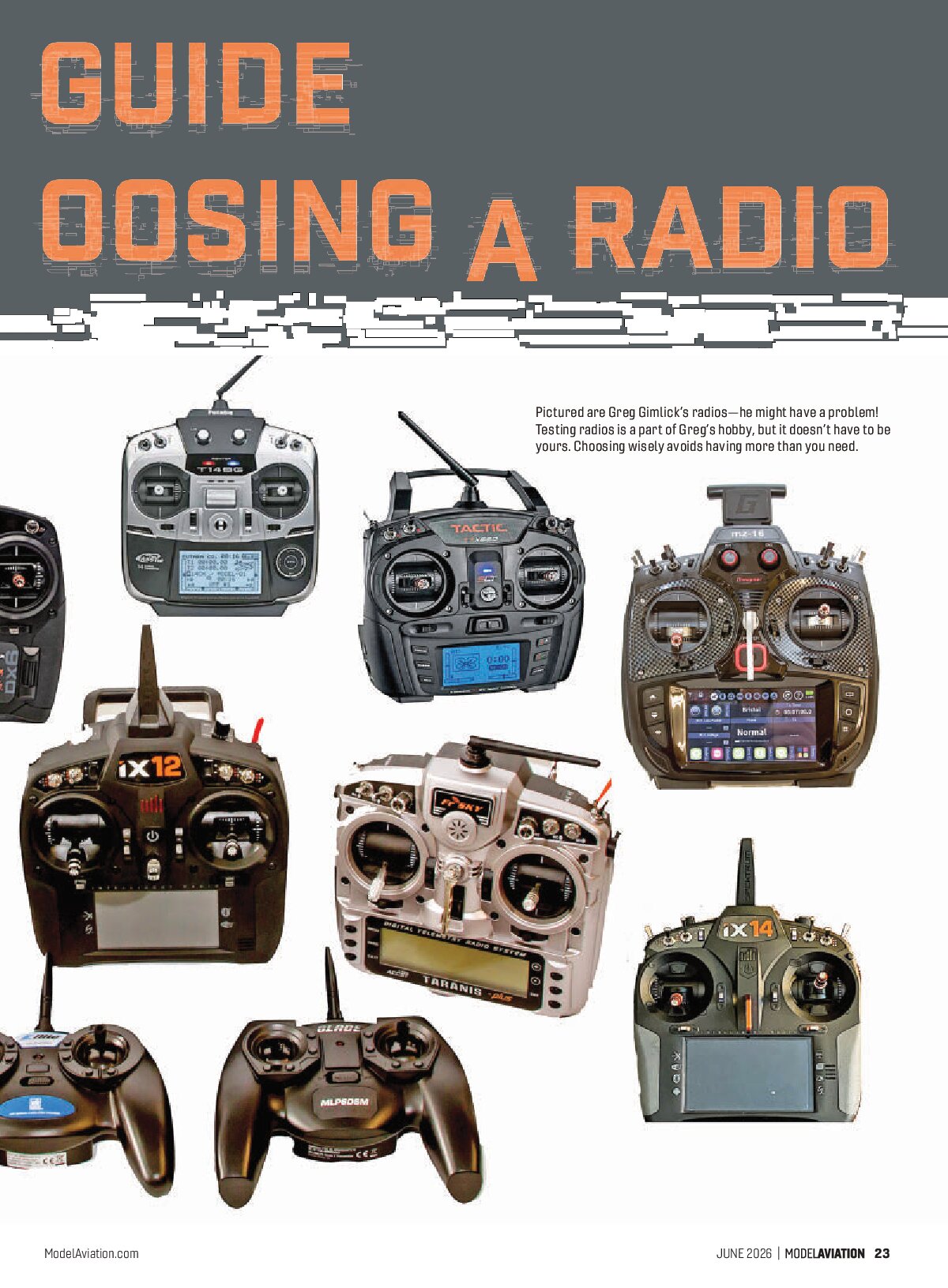
I’ll admit to having a bit of a radio obsession. I love experimenting with various transmitters and programming styles. It’s a hobby unto itself for me but not necessarily for you. I’ll try to break down some ideas from my experience across brands.
Defining the Need
What are your flying goals? Will you always fly small aircraft or expand to more-complex machines? Are helicopters or multirotors in your plans? Do you have experienced club members nearby to help? Are you a “techie” who loves the challenge of open-source programming, or do you want it to be as simple as possible? These are all important considerations, so take your time and think them through.

My “Must-Have” List
I’ve flown a little bit of everything, and my interests have changed over time. I’ve had a lot of radios that did some—but not all—of what I wanted. I’ve tried to narrow down my requirements to a broad range of interests.
- Six (or more) channels to allow for flaps, multiple aileron servos, retracts, etc.
- Multiple model memories
- Model templates (airplane, helicopter, multirotor, and sailplane)
- Predefined mixes with at least one “free mix” that allows me to program a special mix
- Timers
- Alarms (set for timer, battery voltage, etc.)
- Adjustable gimbals (tension, length, and smooth or ratchet action)
- Trainer switch
- Easy programming (this is big, big, big for me)
- Available technical support (online videos, phone support, etc.)
- Easy firmware updates
- SD card backup
- Neck strap attachment
- Comfortable to hold for flying style (as a pincher, thumb-flier, tray-user, etc.)
- Assignable channels and switches (this is for more-advanced fliers but handy to have)
- Available repair facility
Starting Smart
Buy the brand of radio that others around you are using. If you show up at the flying field with a radio that no one is familiar with, you’ll be on your own without help. All of the major brands are very reliable.
It’s easy to be overwhelmed by the abbreviations for the protocols that are used. There is DSMX, DMSS, ACCST, FASST, FHSS, S-FHSS, A-FHSS and, more recently, ELRS, which is mostly for multirotors but is rapidly expanding to fixed-wing aircraft. These protocols are not compatible with each other, but each is reliable. The brand will usually decide which protocol you’ll be using. Again, choose something compatible with those around you.
Avoid Feature Creep and Bargain Basement Radios
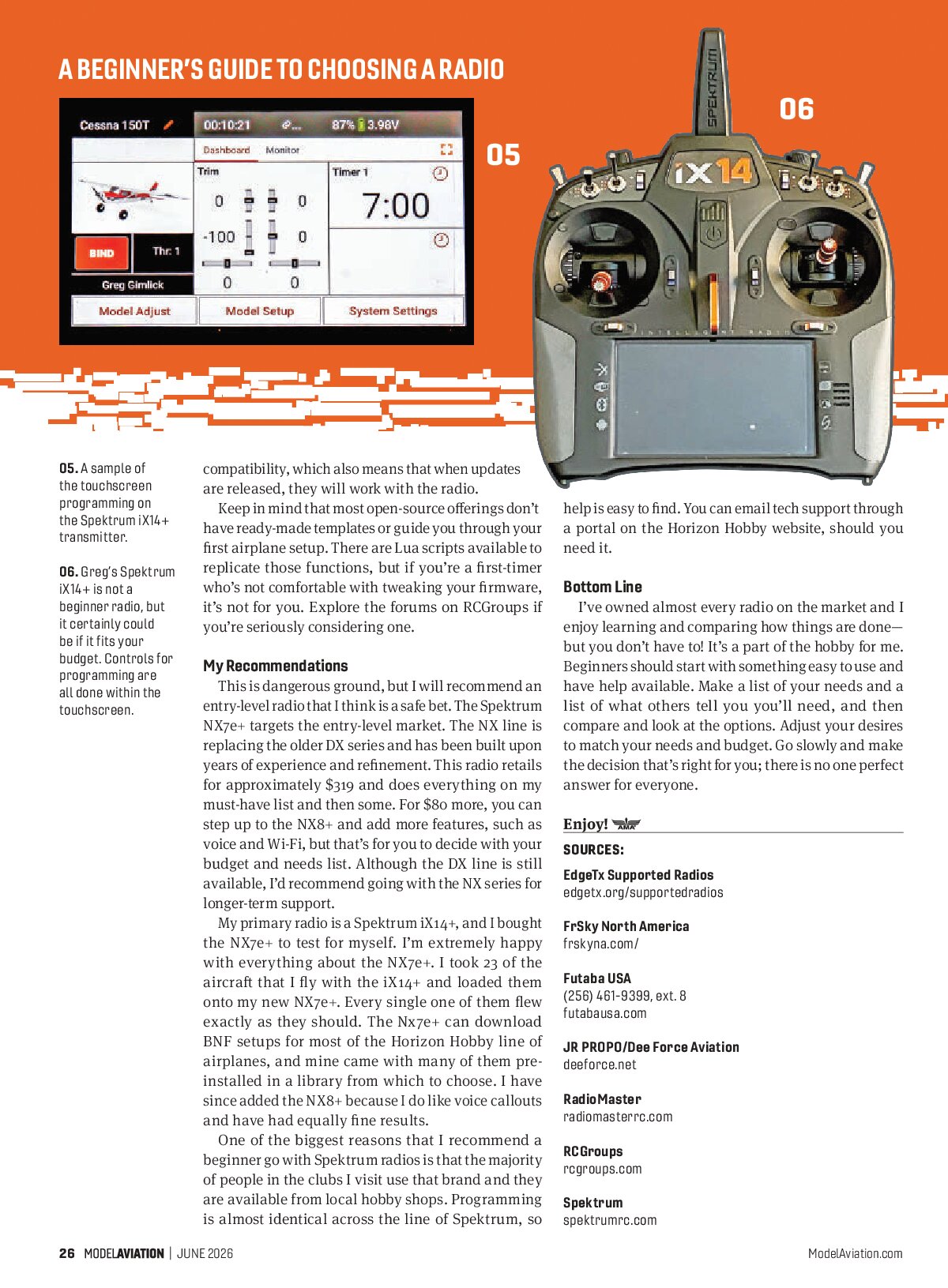
It’s easy to get awed by features you might never need. I’m guilty of that. My best radio plays music, talks to me, has more channels than any of my airplanes use, and has touchscreen programming (which I love). Some radios have Bluetooth, Wi-Fi, and a host of other features that don’t help your airplane fly any better—they’re simply bonus features. Avoid paying for things that you don’t need and won’t use.
At the same time, don’t go for the cheapest radio that you can find. There are some that claim to do it all for a fraction of the price of supported brand-name radios. Quality control and support are usually lacking from these offerings. Some claim compatibility with major brands, but most have reverse-engineered the protocols and do so without proper licensing. Buyer beware.
Avoid the swap shop radio. Great deals can be had at swap meets, but if you’re inexperienced, there is also peril awaiting. If you’re set on finding that one-in-a-million deal, have an experienced person assist you or have the seller demonstrate the radio’s functions and look for any signs of abuse.


Special Considerations
You might have noticed that one of my must-haves is assignable switches and channels. Your first couple of airplanes might not require such things, but down the road, you’ll appreciate the capability. You’ll eventually encounter things such as gyros for flight stabilization; setting those up requires additional capabilities on the transmitter so that you can adjust gyro gains in flight and fine-tune the gyro’s features for your style.
I standardize all of my radios so that the switches I use for dual rates, gyro gain, flight modes, etc., are in the exact same position. No matter what radio I grab, the switches do the same thing. I avoid negative habit transfer by doing this. There’s nothing worse than thinking that you’ve hit the throttle kill switch just to find out that you deployed flaps. Standardize your settings.
Channel Number
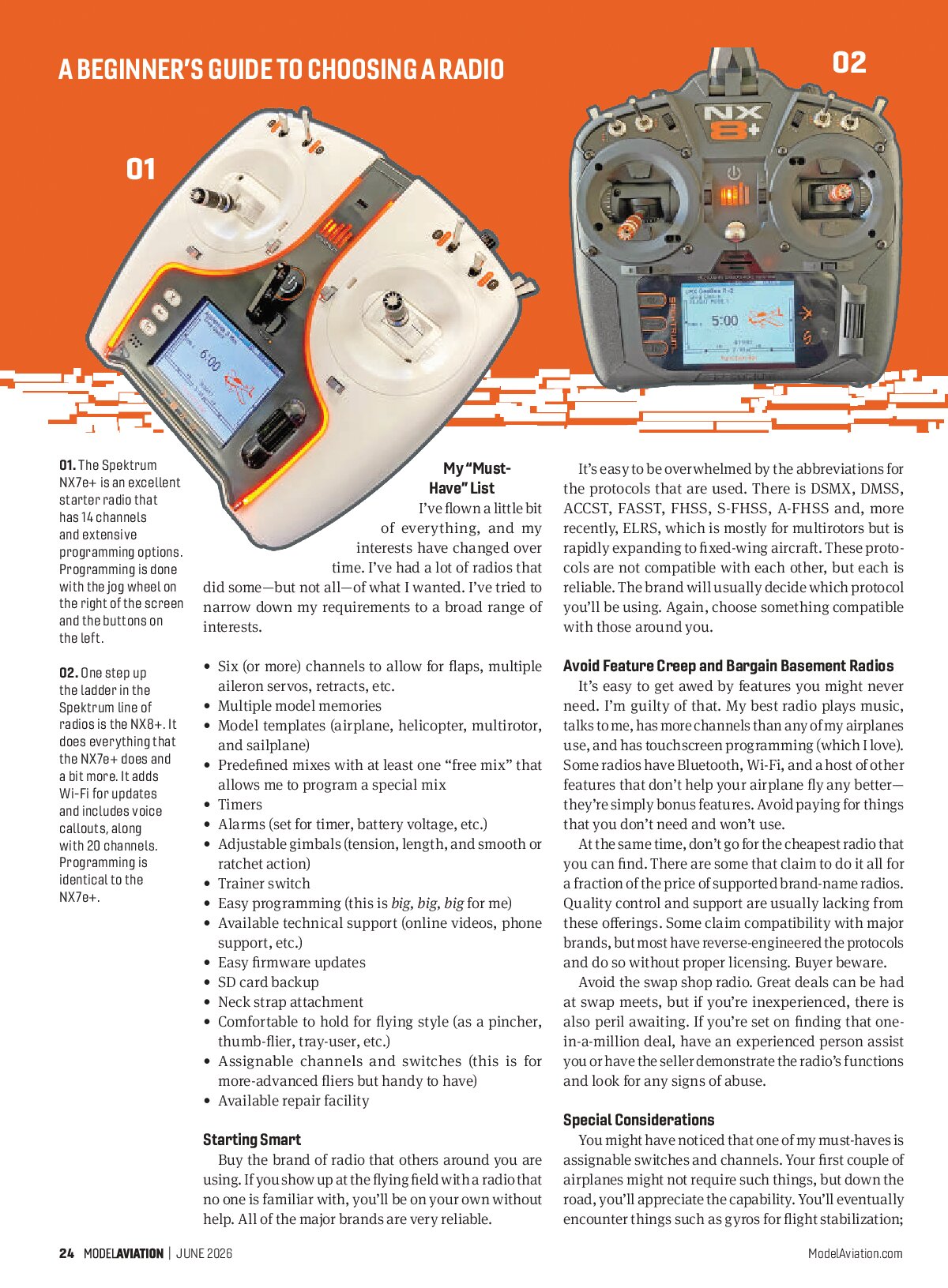
I said six channels is the minimum and I believe it, but, fortunately, most radios have moved beyond that. With so many manufacturers adding features to their airplanes, such as retracts, flight modes, stabilization, flaps, etc., those channels quickly fill up. Most “starter” radios have seven channels, and radios such as the Spektrum NX7 provide 14 channels, although it’s listed as a seven-channel radio.
Things to Consider With Brands
Most major brands have some support available in the US through their distributors. This is important and something to look at closely by talking to others and checking online forums. Keep in mind that people love to post negative remarks more than positive, so filter them carefully. One unhappy user will post more than 100 happy ones. Beware of the “haters.” Unfortunately, they pop up all too often. I have had great service with my Spektrum, Futaba USA, JR PROPO, Graupner, and RadioMaster radios.
Open-Source Radios
Aside from the menu systems that are used by major brands, there are excellent radios that employ OpenTX, and EdgeTX operating systems. These are open-source radios that are supported by each entity doing the programming and mostly volunteers who perform the updates, provide manufacturer support, and man the forums for their programs.
Within the EdgeTX and OpenTX communities, there are manufacturers who have opted to use the base system and produce a branch for their own systems (think of Linux and the many distribution flavors it has available). These end up being supported only by the manufacturer and not the official open-source developer. Find out whether the radio you’re considering is “manufacturer supported,” “community supported,” or “officially supported” on the EdgeTX Supported Radios website, which can be found in “Sources.”
I do not recommend any open-source radio that isn’t officially supported unless you’re very comfortable with what the manufacturer is able to provide in terms of firmware support. FrSky is one such company that is able to provide in-depth support for its flavor of EdgeTX and is well regarded. I use a RadioMaster TX16s that is officially supported; that company also provides good service if parts are needed.
Do your homework if you are heading down the open-source path; they are excellent radios, but there are many variations of EdgeTX and you will need support at some point. “Officially supported” means that the radio manufacturer has provided the operating system developers its hardware for testing and compatibility, which also means that when updates are released, they will work with the radio.
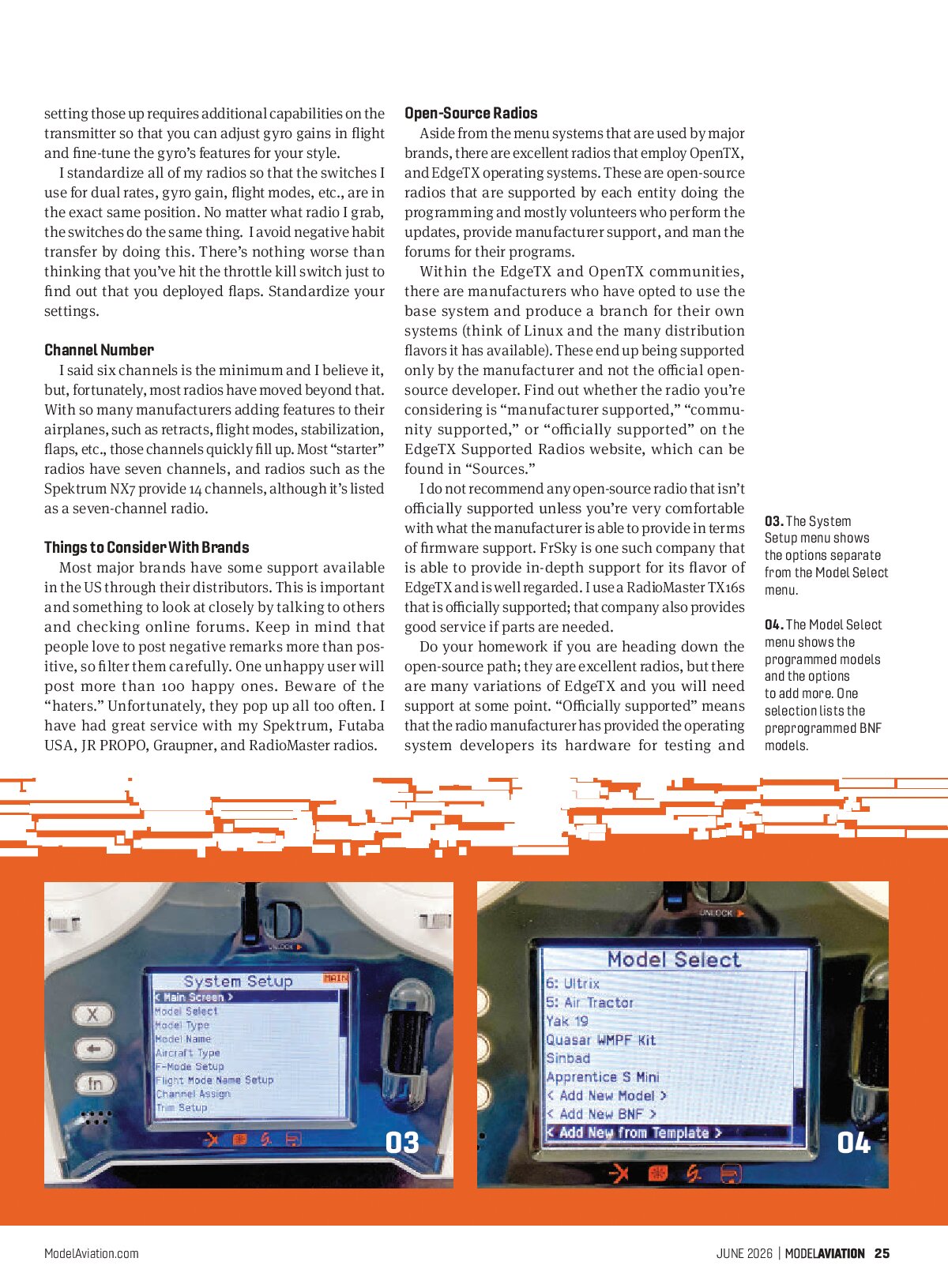
Keep in mind that most open-source offerings don’t have ready-made templates or guide you through your first airplane setup. There are Lua scripts available to replicate those functions, but if you’re a first-timer who’s not comfortable with tweaking your firmware, it’s not for you. Explore the forums on RCGroups if you’re seriously considering one.


My Recommendations
This is dangerous ground, but I will recommend an entry-level radio that I think is a safe bet. The Spektrum NX7e+ targets the entry-level market. The NX line is replacing the older DX series and has been built upon years of experience and refinement. This radio retails for approximately $319 and does everything on my must-have list and then some. For $80 more, you can step up to the NX8+ and add more features, such as voice and Wi-Fi, but that’s for you to decide with your budget and needs list. Although the DX line is still available, I’d recommend going with the NX series for longer-term support.
My primary radio is a Spektrum iX14+, and I bought the NX7e+ to test for myself. I’m extremely happy with everything about the NX7e+. I took 23 of the aircraft that I fly with the iX14+ and loaded them onto my new NX7e+. Every single one of them flew exactly as they should. The Nx7e+ can download BNF setups for most of the Horizon Hobby line of airplanes, and mine came with many of them preinstalled in a library from which to choose. I have since added the NX8+ because I do like voice callouts and have had equally fine results.
One of the biggest reasons that I recommend a beginner go with Spektrum radios is that the majority of people in the clubs I visit use that brand and they are available from local hobby shops. Programming is almost identical across the line of Spektrum, so help is easy to find. You can email tech support through a portal on the Horizon Hobby website, should you need it.
Bottom Line
I’ve owned almost every radio on the market and I enjoy learning and comparing how things are done—but you don’t have to! It’s a part of the hobby for me. Beginners should start with something easy to use and have help available. Make a list of your needs and a list of what others tell you you’ll need, and then compare and look at the options. Adjust your desires to match your needs and budget. Go slowly and make the decision that’s right for you; there is no one perfect answer for everyone.
Enjoy!


SOURCES
- EdgeTx Supported Radios
edgetx.org/supportedradios - FrSky North America
frskyna.com/ - Futaba USA
(256) 461-9399, ext. 8
futabausa.com - JR PROPO/Dee Force Aviation
deeforce.net - RadioMaster
radiomasterrc.com - RCGroups
rcgroups.com - Spektrum
spektrumrc.com