Park Pilot: Beginner Friendly
BACK ON TRACK
By Greg Gimlick | mael etrics@gimlick.com

AS PROMISED, this column will address flight simulators. The feedback from the initial radio column and the subsequent revisit of that topic was excellent, and I appreciate all who emailed their input. That’s what drives this column, so thank you.
Simulators
Whether the topic is about full-scale or RC flight simulators, there are opinions all over the charts. As a retired military full-scale instructor pilot, I think I’ve heard it argued from all sides. The bottom line is that they are “procedural trainers” and will never fully replicate the actual experience of flying, but they are absolutely effective if utilized properly, and I encourage everyone to use one.
The choices are somewhat limited depending on your computer’s operating system. Apple users have fewer choices than Windows users. I’m a Windows user and will defer the Apple questions to those who are more familiar with that platform. I do know that the Windows flight simulators have worked well using an emulator on Apple machines.
Free Vs. Paid Simulators
I’ve tried most of the freely distributed simulators throughout the years. The good news is that they are free; the bad news is that they are not nearly as developed as commercial offerings, and the support is lacking. Some are more like games than training devices. My iPhone has a couple of RC “simulator” apps installed, and while they are fun to use, they don’t give the experience that a true simulator employing a radio interface will give. If you want to check out the free offerings, by all means, do so, but be prepared for mixed results and, often, times of frustration.
The “Free” Exception: SeligSIM
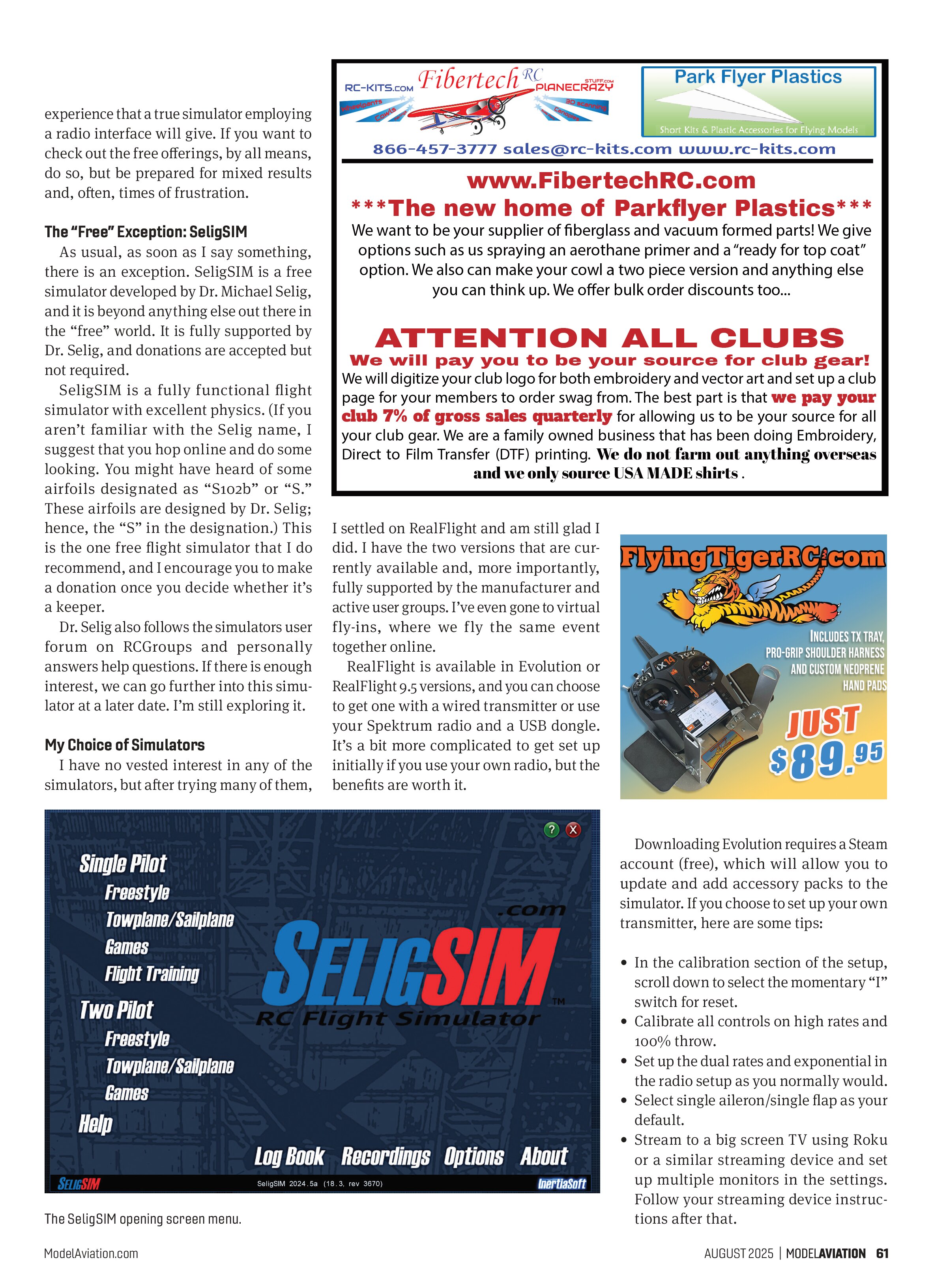
As usual, as soon as I say something, there is an exception. SeligSIM is a free simulator developed by Dr. Michael Selig, and it is beyond anything else out there in the “free” world. It is fully supported by Dr. Selig, and donations are accepted but not required.
SeligSIM is a fully functional flight simulator with excellent physics. (If you aren’t familiar with the Selig name, I suggest that you hop online and do some looking. You might have heard of some airfoils designated as “S102b” or “S.” These airfoils are designed by Dr. Selig; hence, the “S” in the designation.) This is the one free flight simulator that I do recommend, and I encourage you to make a donation once you decide whether it’s a keeper.
Dr. Selig also follows the simulators user forum on RCGroups and personally answers help questions. If there is enough interest, we can go further into this simulator at a later date. I’m still exploring it.
My Choice of Simulators
I have no vested interest in any of the simulators, but after trying many of them,

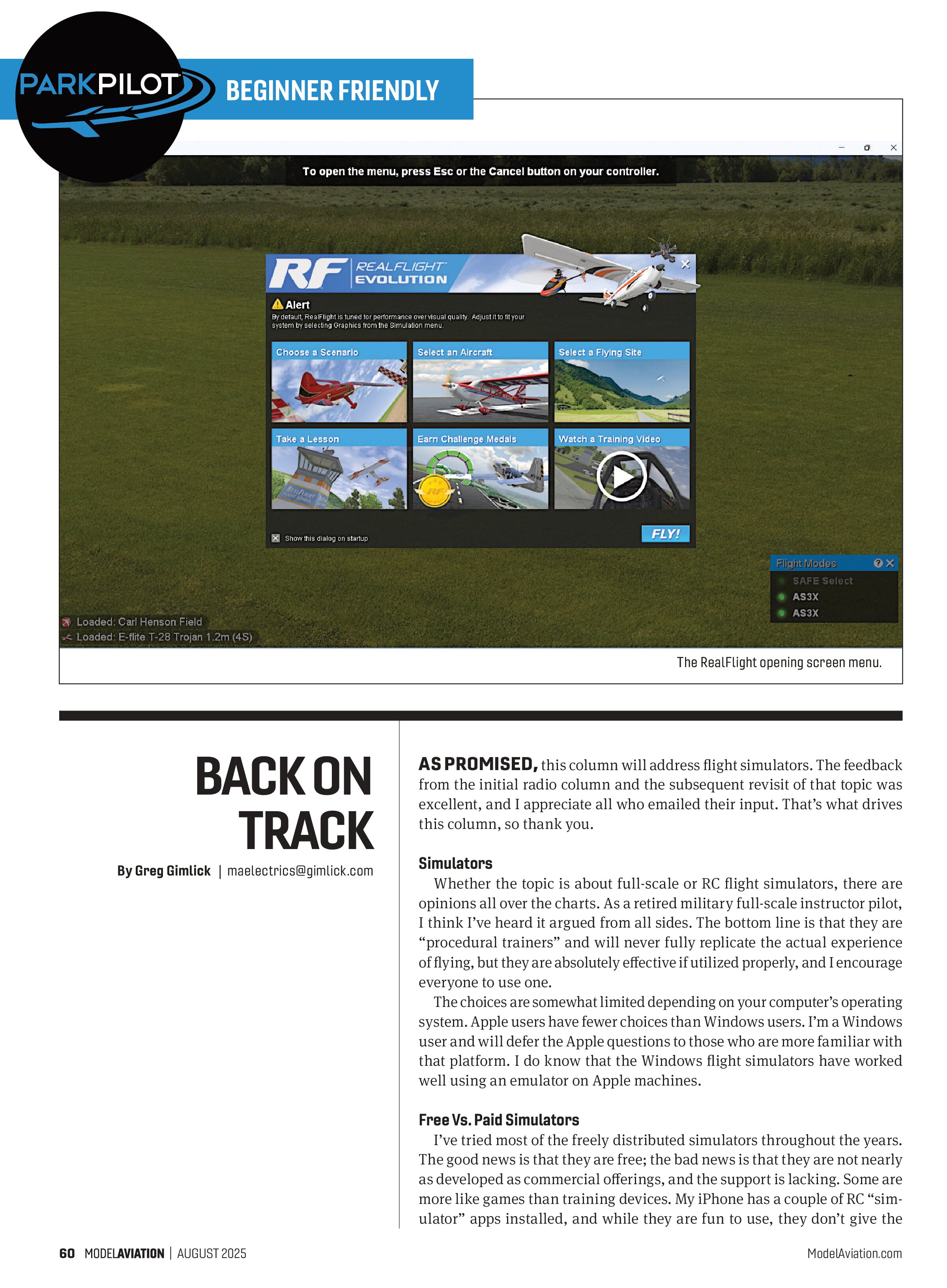
I settled on RealFlight and am still glad I did. I have the two versions that are currently available and, more importantly, fully supported by the manufacturer and active user groups. I’ve even gone to virtual fly-ins, where we fly the same event together online.
RealFlight is available in Evolution or RealFlight 9.5 versions, and you can choose to get one with a wired transmitter or use your Spektrum radio and a USB dongle. It’s a bit more complicated to get set up initially if you use your own radio, but the benefits are worth it.
Downloading Evolution requires a Steam account (free), which will allow you to update and add accessory packs to the simulator. If you choose to set up your own transmitter, here are some tips:
- In the calibration section of the setup, scroll down to select the momentary “I” switch for reset.
- Calibrate all controls on high rates and 100% throw.
- Set up the dual rates and exponential in the radio setup as you normally would.
- Select single aileron/single flap as your default.
- Stream to a big screen TV using Roku or a similar streaming device and set up multiple monitors in the settings. Follow your streaming device instructions after that.
If I had one complaint, it would be having to have the Steam account for Evolution, but that’s probably just me. Many gamers regularly use it and enjoy it.
Don’t Treat It Like a Toy or Gaming Device
As I said at the start, the simulator is a procedural trainer, so treat it as such. If you just go at it with no agenda other than slamming sticks around, you’ll crash a lot and become good at doing so. Fly the simulator airplane as if it were a real model airplane at your field.
There are extremely helpful training sections that will allow you to choose various tasks to learn from an instructor. The program will demonstrate maneuvers and show the radio in the bottom corner so that you can see the stick movements. It’s fully narrated and set up in steps of progression.
You can leave the training session, attempt the task in the simulator, and return to view it again if needed. You can also record your session by hitting “R” to start and stop the recording. This will allow you to replay your flight and see what you did right or did wrong.
The training sessions are divided between airplanes and helicopters, so both are available to you. I will say that the helicopter sessions can be very helpful and a lot cheaper than crashing one at the field.
“Simulators Are Too Easy”
I hear this all the time, and I say, “Hooey!” If it’s too easy, you haven’t set the program

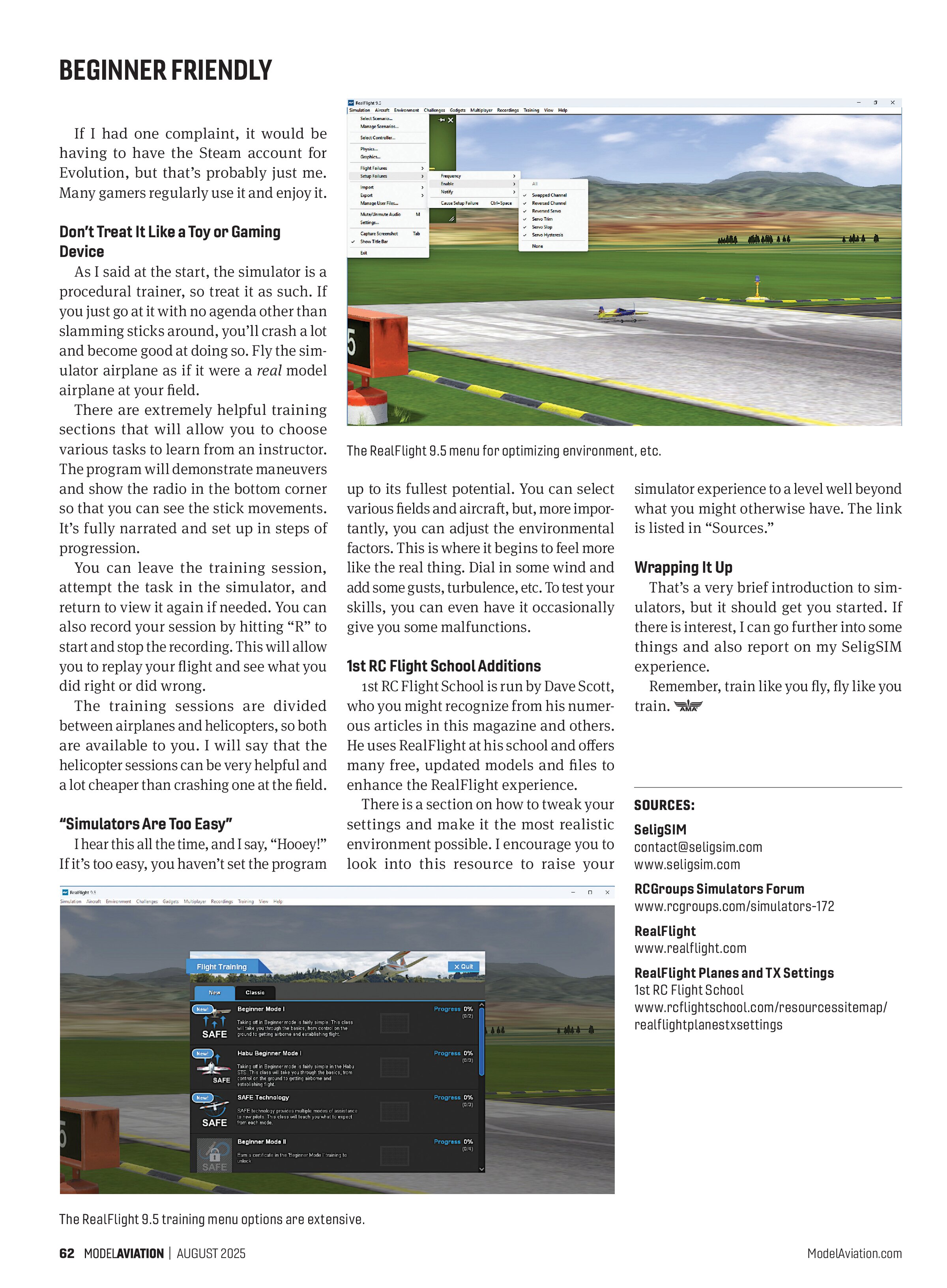
up to its fullest potential. You can select various fields and aircraft, but, more importantly, you can adjust the environmental factors. This is where it begins to feel more like the real thing. Dial in some wind and add some gusts, turbulence, etc. To test your skills, you can even have it occasionally give you some malfunctions.
1st RC Flight School Additions
1st RC Flight School is run by Dave Scott, who you might recognize from his numerous articles in this magazine and others. He uses RealFlight at his school and offers many free, updated models and files to enhance the RealFlight experience.
There is a section on how to tweak your settings and make it the most realistic environment possible. I encourage you to look into this resource to raise your simulator experience to a level well beyond what you might otherwise have. The link is listed in “Sources.”
Wrapping It Up
That’s a very brief introduction to simulators, but it should get you started. If there is interest, I can go further into some things and also report on my SeligSIM experience.
Remember, train like you fly, fly like you train.
SOURCES:
SeligSIM
contact@seligsim.com
www.seligsim.com
RCGroups Simulators Forum
www.rcgroups.com/simulators-172
RealFlight
www.realflight.com
RealFlight Planes and TX Settings
1st RC Flight School
www.rcflightschool.com/resourcessitemap/
realflightplanestxsettings