THE DEAL WITH DRONES

HELPING
YOUR CHILD
LEARN TO FLY
By Susan Smith | susankaysmith@gmail.com
THE FUTURE OF DRONES IS EXCITING! Not only do we see colorful drones racing through athletic stadiums on TV, but we also now regularly see drone footage featured in movies and athletic events. If your child wants to learn to fly drones, what is the best way to teach them? How can someone get started in the sport?
In my last “The Deal With Drones” column, I talked about the MultiGP STEM Alliance. There are a variety of programs that focus on helping students, from middle school to high school and beyond. If there is not a program near you, however, you can still help your child learn to fly drones.
Start on a Simulator
I hear this question all the time from friends, family, and coworkers: “My child would like to start flying drones. What drone should I get?” My answer might surprise you: Don’t buy a drone. At least not yet.
Instead, start with a simulator. Not only are simulators fun, but they also help protect the investment of a drone. I have heard many stories of children (and adults) taking their precious drone out to fly, only to lose it on their very first flight because they haven’t mastered the controls yet.
Simulators are available on all major platforms, from computers to even video game consoles. Most of these simulators are a one-time purchase, and there are some free versions available as well. There are even mobile app versions.
The best way to learn will be on a computer with a connected drone radio controller. Your child will then be able to learn the various controls that they would use on a real-life drone. If you don’t have a radio controller for your child to use, inexpensive versions may be purchased for approximately $50.
If you think your child will continue to be interested in drones, I’d recommend spending a bit more to buy a radio that would translate easily into real-life use in the future. Entry-level radios in this category will cost approximately $125 to $200.
Learning the Basics
A child who has played first-person video games might have a concept of yaw, where one side of the controller moves the character forward and backward, while the other side of the controller causes the character to turn around. Adding height into the equation is where it gets complicated.
I have had the privilege of helping teach children at drone educational events. Inevitably, it is difficult for the beginner to understand pitch, throttle, and yaw and how all of these aspects work together to move the drone.
When working with children, I tell them that they need to move both sides of the controller to go forward and to turn. I explain that if you move both sticks together, it will be easier to control the drone.
Many simulators have the ability to slow the drone down, which will assist with this learning curve. If it can be configured, I’d recommend lowering the camera tilt as well. Tiny Whoop-size 65mm drones are often flown by beginners in angle mode instead of rate mode. This is a great option for a child who is struggling with the motor memory needed to fly in rate mode.
It’s also about not giving up when something is hard to learn. I talk about how learning anything new is difficult, and that they can expect to crash a lot while they are learning. I also explain how it was difficult for me to learn and encourage them to keep trying.
First Drone
After spending time on the simulator, your child might be ready to graduate to real-life flying. For children who have spent many hours on the simulator, they will be surprised at how easily that will translate to real-world flying.
For a younger child, or a child who has not spent much time on the simulator, there are easy-to-fly drone kits. These drones help children by keeping the height of the drone stable, by slowing the drone’s speed, and by mixing in yaw with roll.
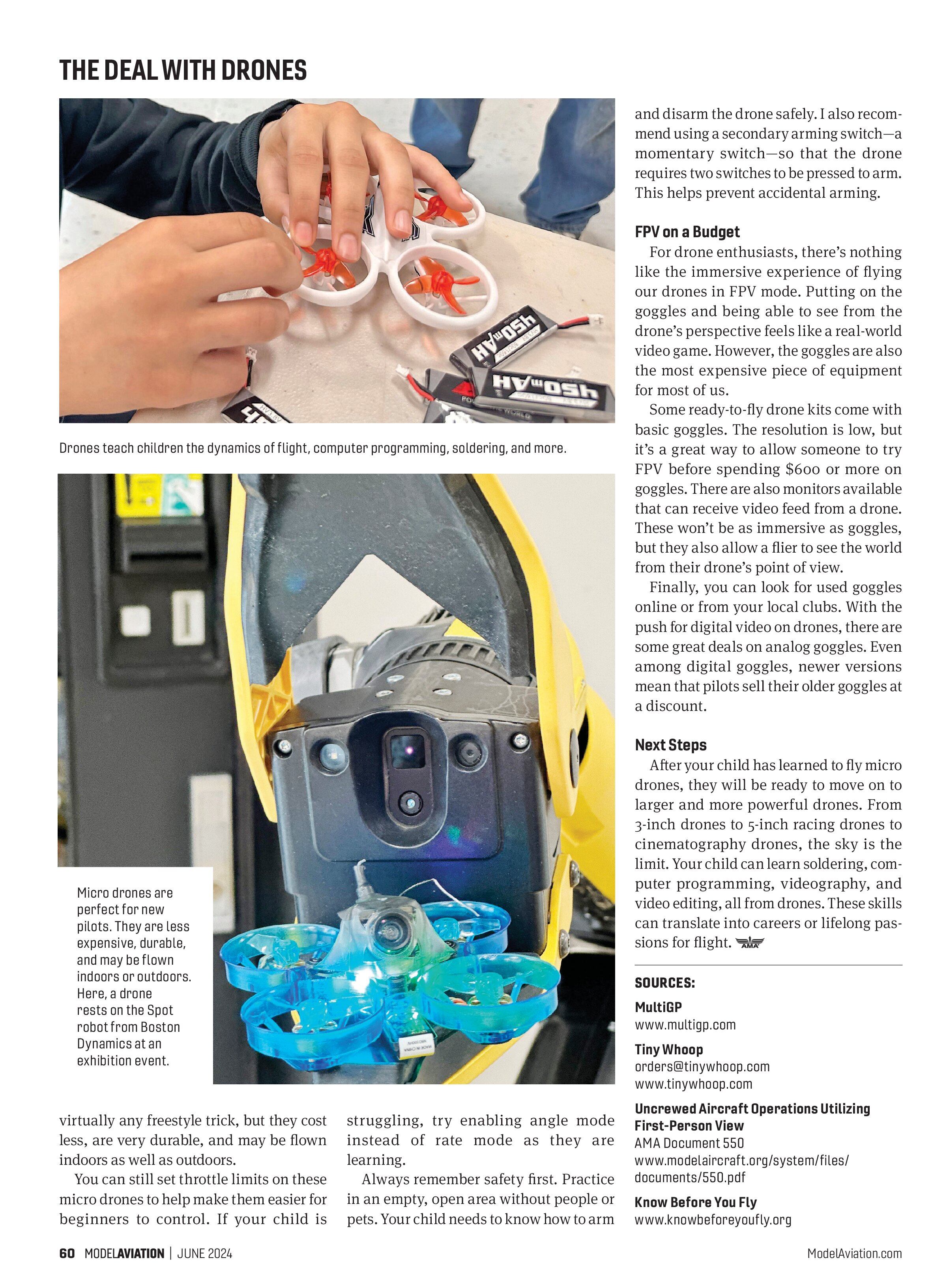
I like to recommend micro drones as the first real-world drones. The 65mm-size drone is a perfect first drone for many people. They are capable of fast racing speeds and doing


virtually any freestyle trick, but they cost less, are very durable, and may be flown indoors as well as outdoors.

You can still set throttle limits on these micro drones to help make them easier for beginners to control. If your child is struggling, try enabling angle mode instead of rate mode as they are learning.
Always remember safety first. Practice in an empty, open area without people or pets. Your child needs to know how to arm and disarm the drone safely. I also recommend using a secondary arming switch—a momentary switch—so that the drone requires two switches to be pressed to arm. This helps prevent accidental arming.
FPV on a Budget
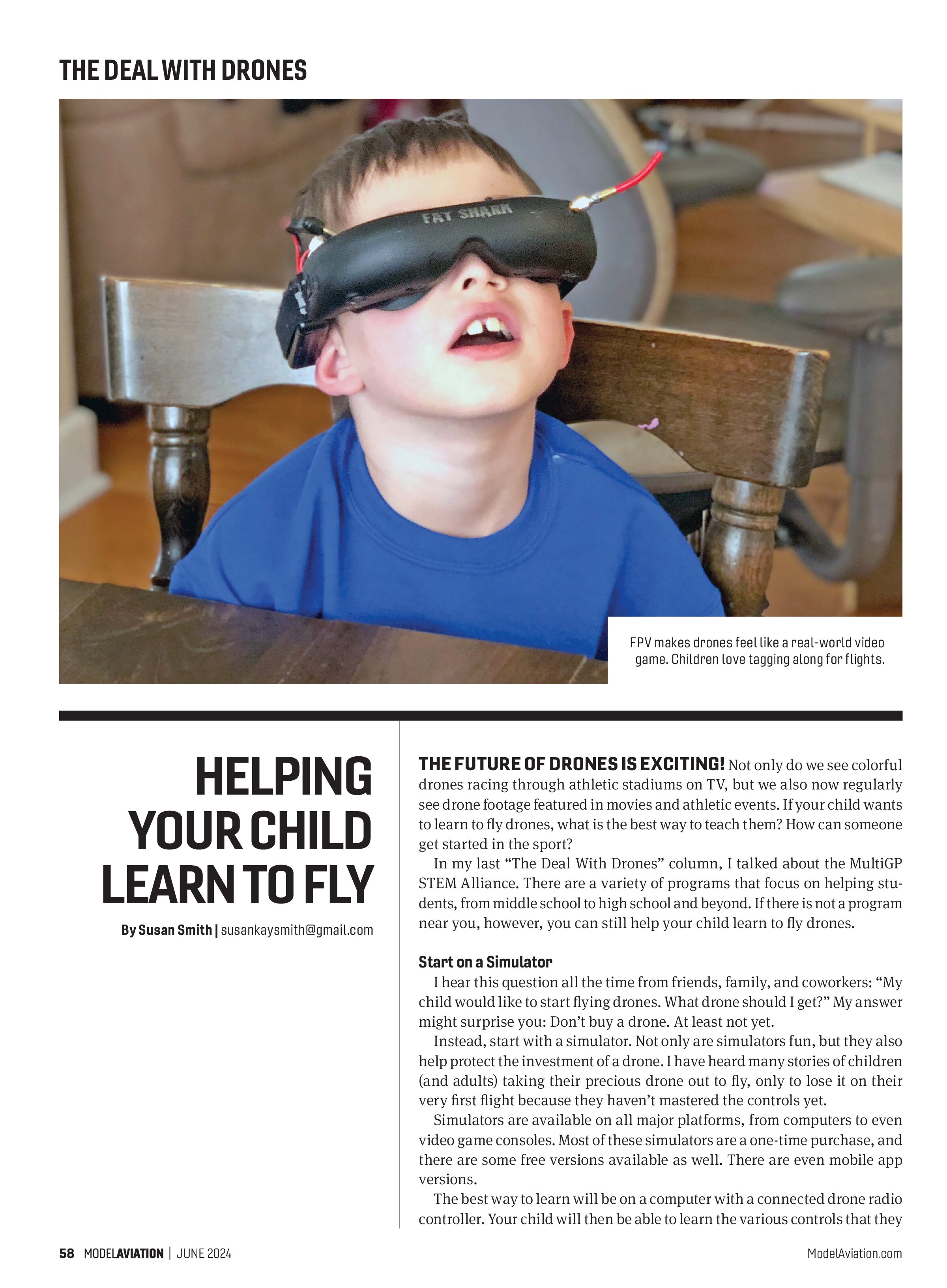
For drone enthusiasts, there’s nothing like the immersive experience of flying our drones in FPV mode. Putting on the goggles and being able to see from the drone’s perspective feels like a real-world video game. However, the goggles are also the most expensive piece of equipment for most of us.
Some ready-to-fly drone kits come with basic goggles. The resolution is low, but it’s a great way to allow someone to try FPV before spending $600 or more on goggles. There are also monitors available that can receive video feed from a drone. These won’t be as immersive as goggles, but they also allow a flier to see the world from their drone’s point of view.
Finally, you can look for used goggles online or from your local clubs. With the push for digital video on drones, there are some great deals on analog goggles. Even among digital goggles, newer versions mean that pilots sell their older goggles at a discount.
Next Steps
After your child has learned to fly micro drones, they will be ready to move on to larger and more powerful drones. From 3-inch drones to 5-inch racing drones to cinematography drones, the sky is the limit. Your child can learn soldering, computer programming, videography, and video editing, all from drones. These skills can translate into careers or lifelong passions for flight.
SOURCES:
MultiGP
www.multigp.com
Tiny Whoop
orders@tinywhoop.com
www.tinywhoop.com
Uncrewed Aircraft Operations Utilizing First-Person View
AMA Document 550
www.modelaircraft.org/system/files/documents/550.pdf
Know Before You Fly
www.knowbeforeyoufly.org