THIS LITTLE HELI IS READY TO FLY 3D
Blade 150 S Smart BNF Basic with AS3X and SAFE
By Fitz Walker | flying_fitz@yahoo.com
Photos by the author
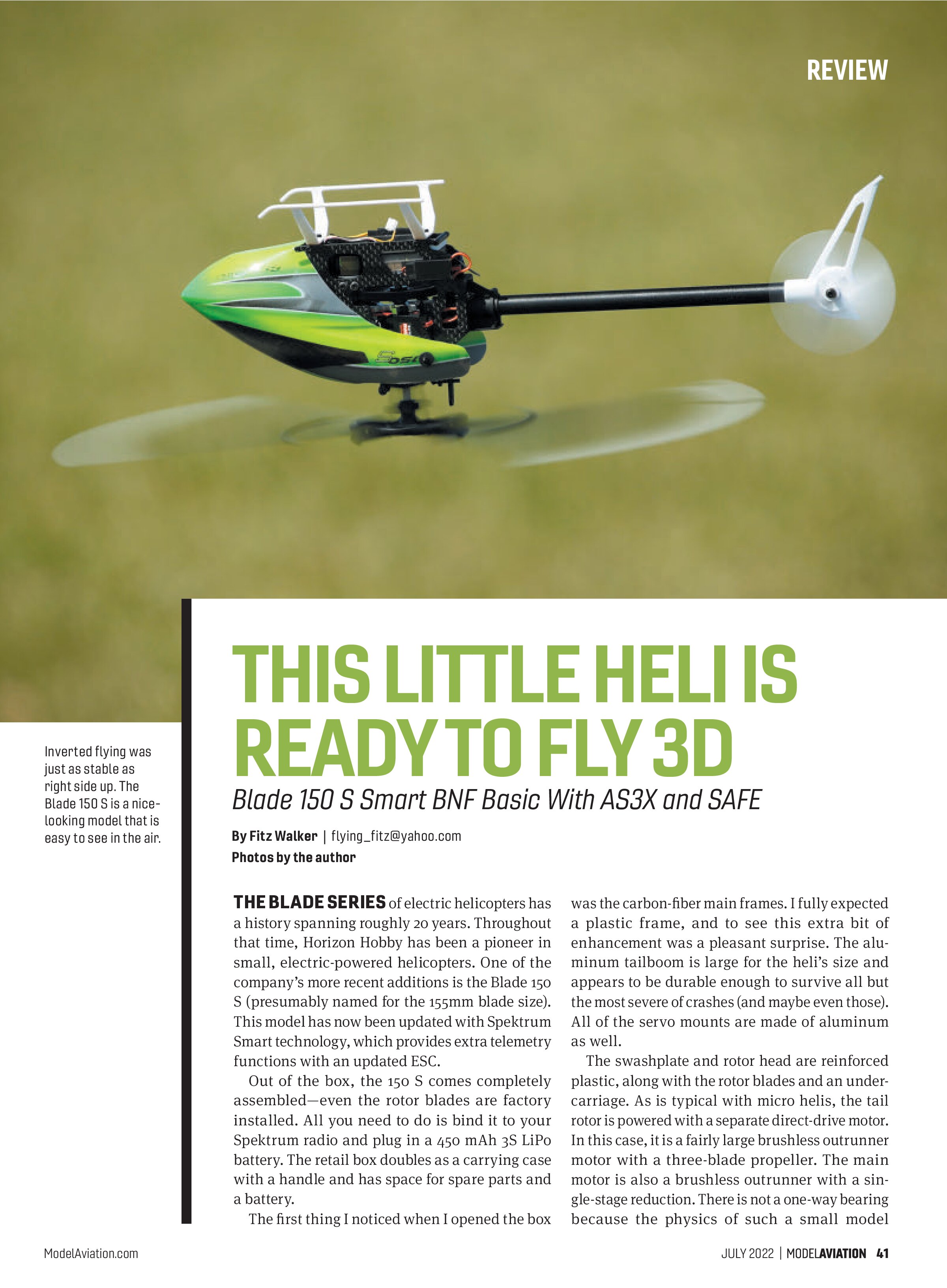
THE BLADE SERIES of electric helicopters has a history spanning roughly 20 years. Throughout that time, Horizon Hobby has been a pioneer in small, electric-powered helicopters. One of the company’s more recent additions is the Blade 150 S (presumably named for the 155mm blade size). This model has now been updated with Spektrum Smart technology, which provides extra telemetry functions with an updated ESC.
Out of the box, the 150 S comes completely assembled—even the rotor blades are factory installed. All you need to do is bind it to your Spektrum radio and plug in a 450 mAh 3S LiPo battery. The retail box doubles as a carrying case with a handle and has space for spare parts and a battery.
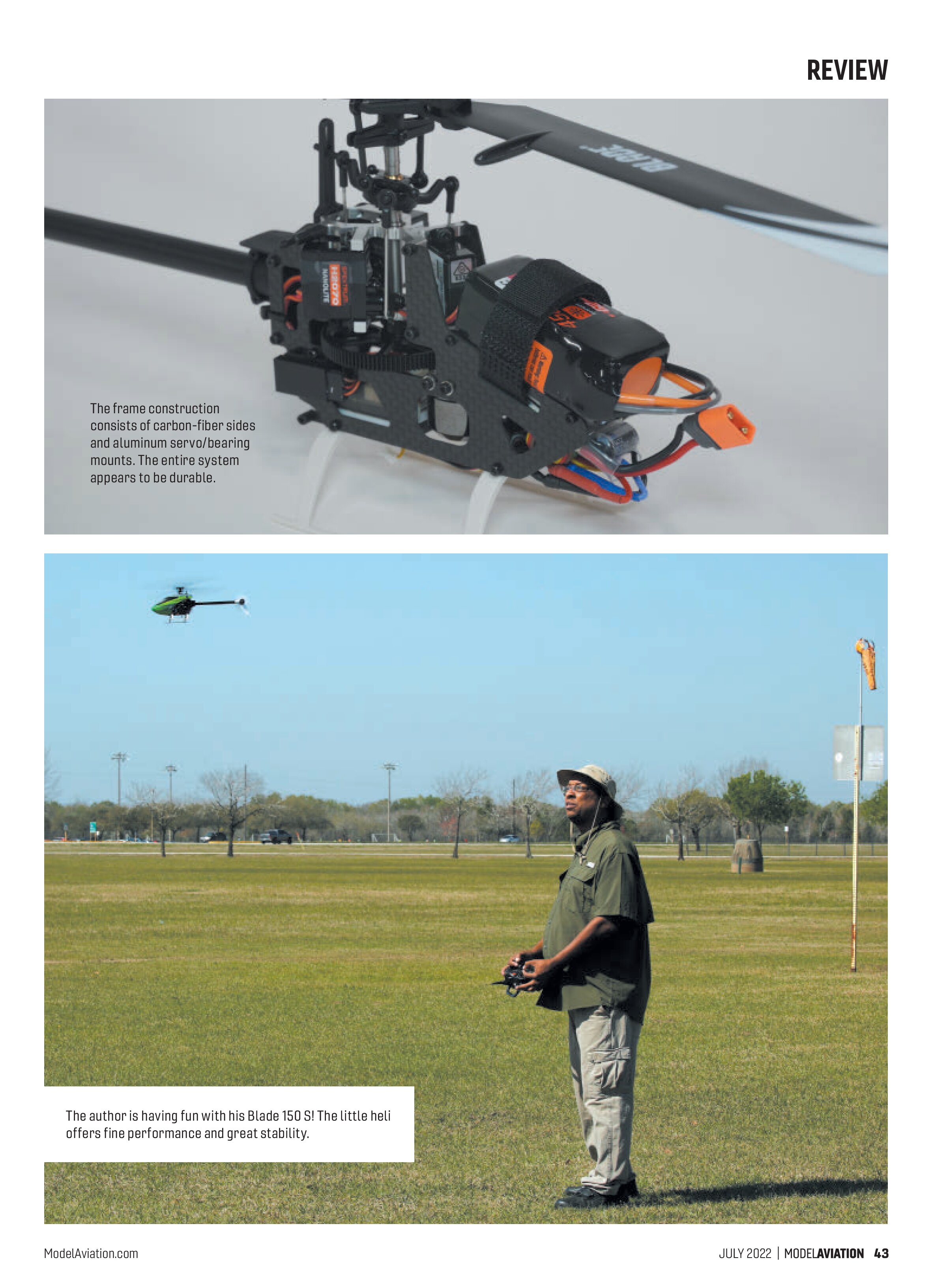
The first thing I noticed when I opened the box was the carbon-fiber main frames. I fully expected a plastic frame, and to see this extra bit of enhancement was a pleasant surprise. The aluminum tailboom is large for the heli’s size and appears to be durable enough to survive all but the most severe of crashes (and maybe even those). All of the servo mounts are made of aluminum as well.
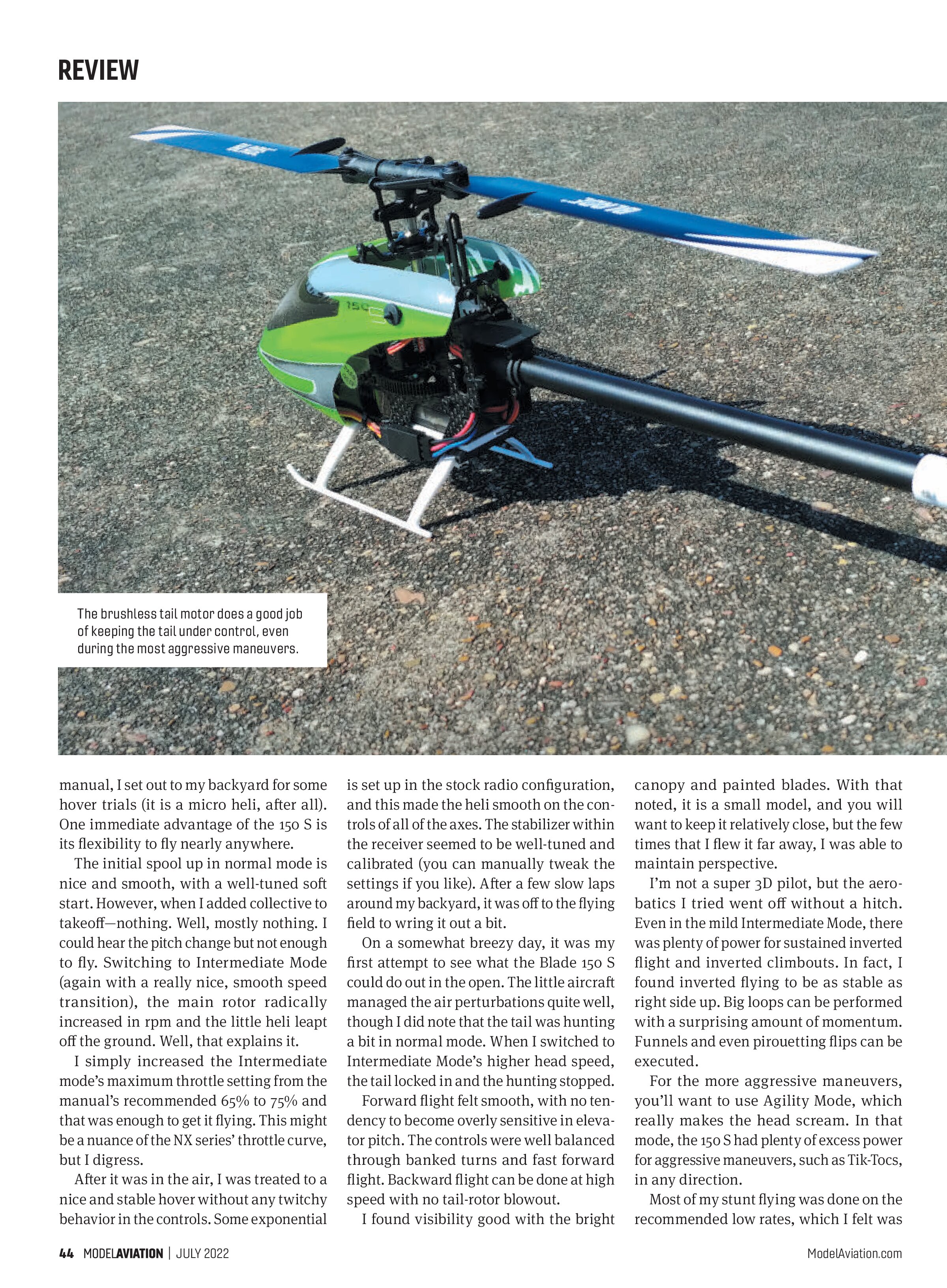
The swashplate and rotor head are reinforced plastic, along with the rotor blades and an undercarriage. As is typical with micro helis, the tail rotor is powered with a separate direct-drive motor. In this case, it is a fairly large brushless outrunner motor with a three-blade propeller. The main motor is also a brushless outrunner with a single-stage reduction. There is not a one-way bearing because the physics of such a small model

At a Glance
Specifications
Number of channels: Six
Rotor span: 6.1 inches
Length: 14.4 inches
Height: 5 inches
Weight: 5.6 ounces with battery
Battery: 3S 450 mAh LiPo
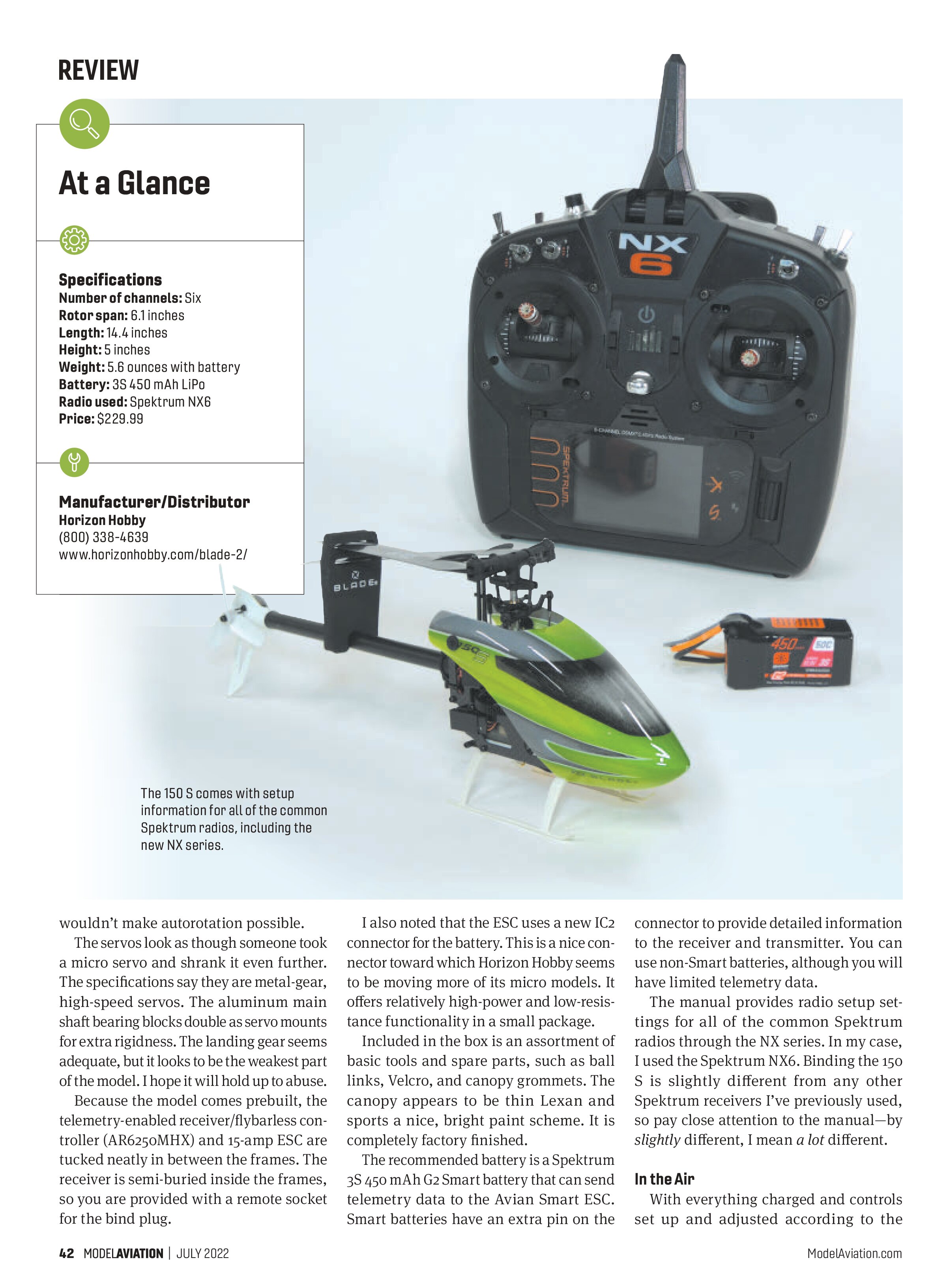
Radio used: Spektrum NX6
Price: $229.99
Manufacturer/Distributor
Horizon Hobby
(800) 338-4639
www.horizonhobby.com/blade-2/

wouldn’t make autorotation possible.
The servos look as though someone took a micro servo and shrank it even further. The specifications say they are metal-gear, high-speed servos. The aluminum main shaft bearing blocks double as servo mounts for extra rigidity. The landing gear seems adequate, but it looks to be the weakest part of the model. I hope it will hold up to abuse.
Because the model comes prebuilt, the telemetry-enabled receiver/flybarless controller (AR6250MHX) and 15-amp ESC are tucked neatly in between the frames. The receiver is semi-buried inside the frames, so you are provided with a remote socket for the bind plug.
I also noted that the ESC uses a new IC2 connector for the battery. This is a nice connector toward which Horizon Hobby seems to be moving more of its micro models. It offers relatively high-power and low-resistance functionality in a small package.
Included in the box is an assortment of basic tools and spare parts, such as ball links, Velcro, and canopy grommets. The canopy appears to be thin Lexan and sports a nice, bright paint scheme. It is completely factory finished.
The recommended battery is a Spektrum 3S 450 mAh G2 Smart battery that can send telemetry data to the Avian Smart ESC. Smart batteries have an extra pin on the connector to provide detailed information to the receiver and transmitter. You can use non-Smart batteries, although you will have limited telemetry data.
The manual provides radio setup settings for all of the common Spektrum radios through the NX series. In my case, I used the Spektrum NX6. Binding the 150 S is slightly different from any other Spektrum receivers I’ve previously used, so pay close attention to the manual—by slightly different, I mean a lot different.
In the Air
With everything charged and controls set up and adjusted according to the


manual, I set out to my backyard for some hover trials (it is a micro heli, after all). One immediate advantage of the 150 S is its flexibility to fly nearly anywhere.
The initial spool up in normal mode is nice and smooth, with a well-tuned soft start. However, when I added collective to takeoff—nothing. Well, mostly nothing. I could hear the pitch change but not enough to fly. Switching to Intermediate Mode (again with a really nice, smooth speed transition), the main rotor radically increased in rpm and the little heli leapt off the ground. Well, that explains it.
I simply increased the Intermediate mode’s maximum throttle setting from the manual’s recommended 65% to 75% and that was enough to get it flying. This might be a nuance of the NX series’ throttle curve, but I digress.
After it was in the air, I was treated to a nice and stable hover without any twitchy behavior in the controls. Some exponential is set up in the stock radio configuration, and this made the heli smooth on the controls of all the axes. The stabilizer within the receiver seemed to be well-tuned and calibrated (you can manually tweak the settings if you like). After a few slow laps around my backyard, it was off to the flying field to wring it out a bit.
On a somewhat breezy day, it was my first attempt to see what the Blade 150 S could do out in the open. The little aircraft managed to eat perturbations quite well, though I did note that the tail was hunting a bit in normal mode. When I switched to Intermediate Mode’s higher head speed, the tail locked in and the hunting stopped.
Forward flight felt smooth, with no tendency to become overly sensitive in elevator pitch. The controls were well balanced through banked turns and fast forward flight. Backward flight can be done at high speed with no tail-rotor blowout.
I found visibility good with the bright canopy and painted blades. With that noted, it is a small model, and you will want to keep it relatively close, but the few times that I flew it far away, I was able to maintain perspective.
I’m not a super 3D pilot, but the aerobatics I tried went off without a hitch. Even in the mild Intermediate Mode, there was plenty of power for sustained inverted flight and inverted climbouts. In fact, I found inverted flying to be as stable as right side up. Big loops can be performed with a surprising amount of momentum. Funnels and even pirouetting flips can be executed.
For the more aggressive maneuvers, you’ll want to use Agility Mode, which really makes the head scream. In that mode, the 150 S had plenty of excess power for aggressive maneuvers, such as Tik-Tocs, in any direction.
Most of my stunt flying was done on the recommended low rates, which I felt was sensitive, but if you really want to make flying more sporty, the high rates made things really snappy. Even so, the electronic stabilizers made the handling smooth.
On the subject of stabilizers, the panic button works great to level the model, no matter what the attitude is. I even tried it while inverted and it instantly uprighted the model. High tech to the rescue.
The Blade 150 S is a little heli that punches up in flight performance. It has impressive stability for its size and offers fine handling. Run times with the 3S battery seemed to average roughly 5 minutes before the telemetry started indicating low voltage. Nonetheless, I was usually having too much fun to care.
S155 Charger
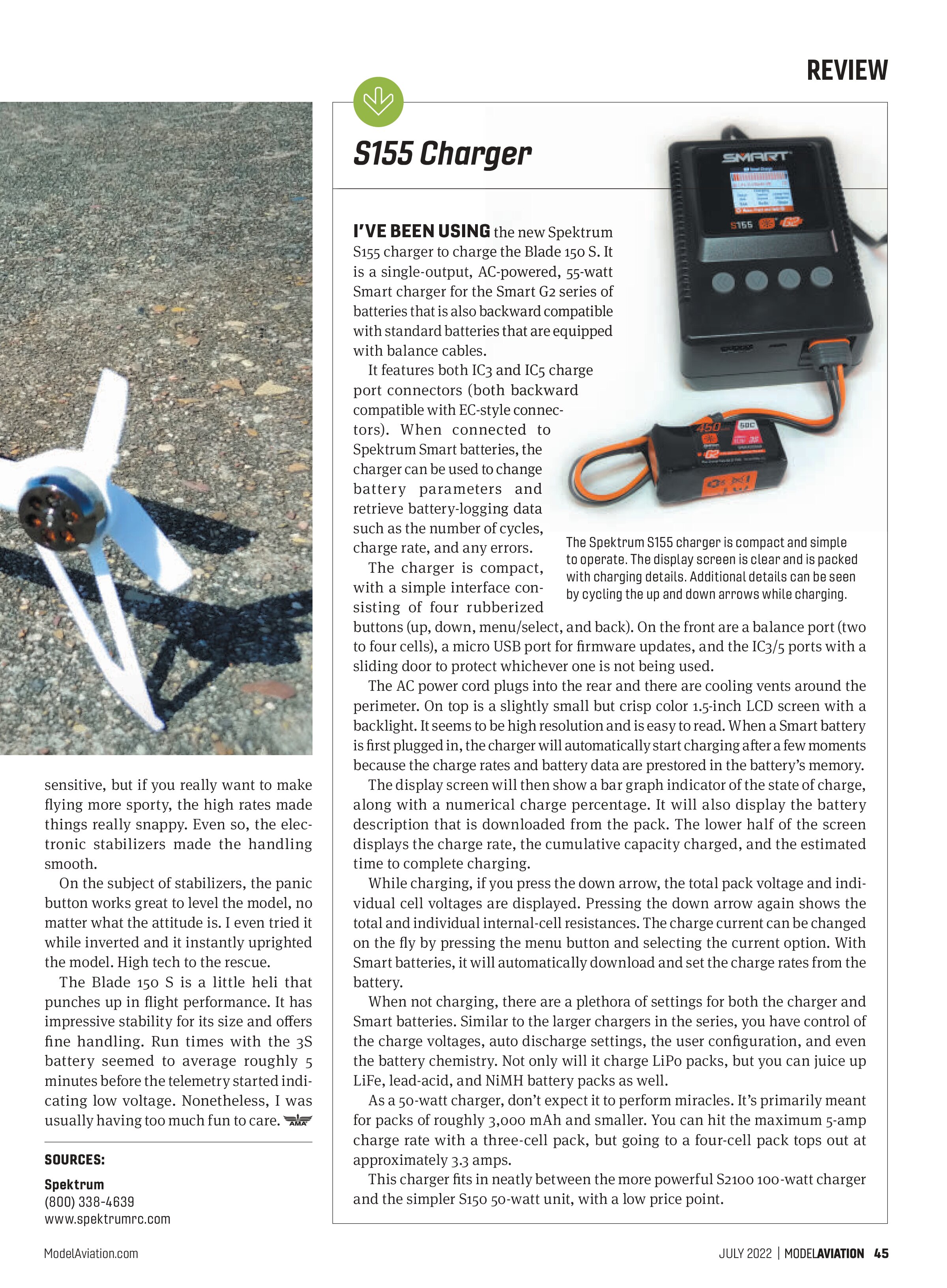
I’VE BEEN USING the new Spektrum S155 charger to charge the Blade 150 S. It is a single-output, AC-powered, 55-watt Smart charger for the Smart G2 series of batteries that is also backward compatible with standard batteries that are equipped with balance cables.

It features both IC3 and IC5 charge port connectors (both backward compatible with EC-style connectors). When connected to Spektrum Smart batteries, the charger can be used to change battery parameters and retrieve battery-logging data such as the number of cycles, charge rate, and any errors.
The charger is compact, with a simple interface consisting of four rubberized buttons (up, down, menu/select, and back). On the front are a balance port (two to four cells), a micro USB port for firmware updates, and the IC3/5 ports with a sliding door to protect whichever one is not being used.
The AC power cord plugs into the rear and there are cooling vents around the perimeter. On top is a slightly small but crisp color 1.5-inch LCD screen with a backlight. It seems to be high resolution and is easy to read. When a Smart battery is first plugged in, the charger will automatically start charging after a few moments because the charge rates and battery data are prestored in the battery’s memory.
The display screen will then show a bar graph indicator of the state of charge, along with a numerical charge percentage. It will also display the battery description that is downloaded from the pack. The lower half of the screen displays the charge rate, the cumulative capacity charged, and the estimated time to complete charging.
While charging, if you press the down arrow, the total pack voltage and individual cell voltages are displayed. Pressing the down arrow again shows the total and individual internal-cell resistances. The charge current can be changed on the fly by pressing the menu button and selecting the current option. With Smart batteries, it will automatically download and set the charge rates from the battery.
When not charging, there are a plethora of settings for both the charger and Smart batteries. Similar to the larger chargers in the series, you have control of the charge voltages, auto discharge settings, the user configuration, and even the battery chemistry. Not only will it charge LiPo packs, but you can juice up LiFe, lead-acid, and NiMH battery packs as well.
As a 50-watt charger, don’t expect it to perform miracles. It’s primarily meant for packs of roughly 3,000 mAh and smaller. You can hit the maximum 5-amp charge rate with a three-cell pack, but going to a four-cell pack tops out at approximately 3.3 amps.
This charger fits in neatly between the more powerful S2100 100-watt charger and the simpler S150 50-watt unit, with a low price point.
SOURCES:
Spektrum
(800) 338-4639
www.spektrumrc.com