HIGH-DEFINITION
ACTION CAMERA
Insta360 GO 2 Action Camera
By Terry Dunn | terrydunn74@gmail.com
Photos by the author
I ENJOY TAKING PHOTOS and videos using action cameras that are attached to my RC airplanes. My models have schlepped quite a variety of action cameras throughout the years. Generally speaking, I have found that larger, heavier cameras provide better video quality. Unfortunately, these bulkier cameras also have a more significant, negative impact on a model’s flight performance. The obvious result is that it is often necessary to sacrifice video quality for flight performance or vice versa.
The GO 2 from Insta360 is the exception to this size/performance curve. It is among the smallest and lightest HD action cameras that are currently available. This tiny camera also has video quality that far outshines its bantam-weight peers.
Similar to most action cameras, the GO 2 was not designed specifically for onboard filming with RC models. It consequently has numerous features that are not particularly useful for this application. My review of the GO 2 will focus on the aspects that I have found to be relevant for we RC modelers.
How Big Is It?
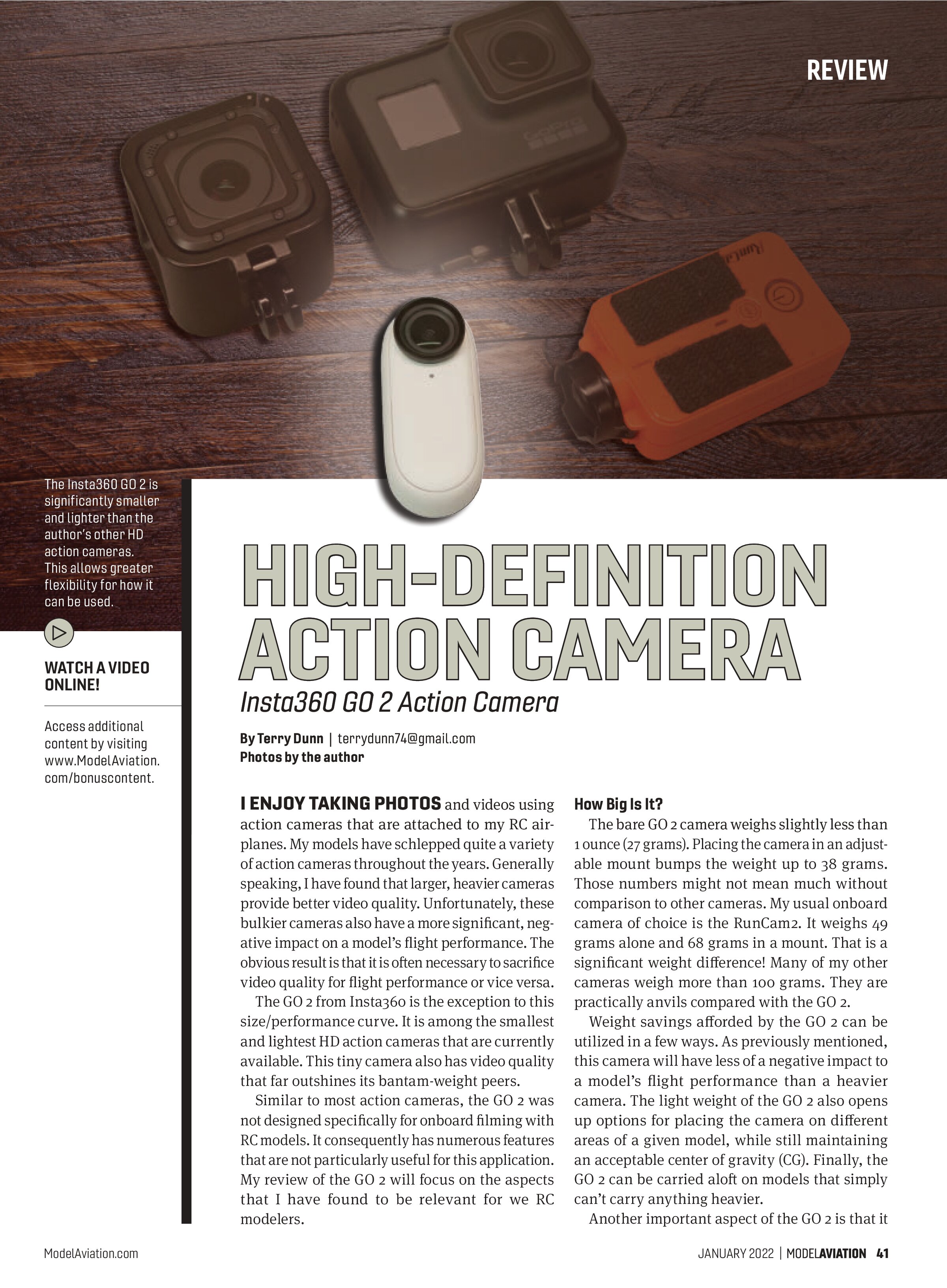
The bare GO 2 camera weighs slightly less than 1 ounce (27 grams). Placing the camera in an adjustable mount bumps the weight up to 38 grams. Those numbers might not mean much without comparison to other cameras. My usual onboard camera of choice is the RunCam2. It weighs 49 grams alone and 68 grams in a mount. That is a significant weight difference! Many of my other cameras weigh more than 100 grams. They are practically anvils compared with the GO 2.
Weight savings afforded by the GO 2 can be utilized in a few ways. As previously mentioned, this camera will have less of a negative impact to a model’s flight performance than a heavier camera. The light weight of the GO 2 also opens up options for placing the camera on different areas of a given model, while still maintaining an acceptable center of gravity (CG). Finally, the GO 2 can be carried aloft on models that simply can’t carry anything heavier.
Another important aspect of the GO 2 is that it

has a relatively small profile. Some action cameras have a broad face, which makes them about as aerodynamic as a bulldozer. That could be another source of performance loss for an RC model. The aerodynamic drag of the thumb-sized GO 2, however, is usually not noticeable.
About the GO 2
The GO 2 features a sealed housing that is waterproof up to a depth of 13 feet. Although I have never taken mine diving, I have used it on RC boats without worry.
Similarly, you can drive through puddles with the GO 2 attached to a monster truck or film a dawn patrol flight while dew still clings to the grass runway.
At a Glance
Specifications
Dimensions (without mount): 53mm (tall) x 24mm (wide) x 21mm (thick)
Dimensions (with ball-joint mount): 81mm x 27mm x 24mm
Weight (without mount): 27 grams
Weight (with ball-joint mount): 38 grams
Price: $299.99
Pluses
- It is incredibly small and lightweight.
- It offers excellent image quality.
- It has built-in image stabilization features.
Minuses
- The power/start button is easy to accidentally press.
- It has a short battery life.
- The camera gets hot during use.
Manufacturer/Distributor
Insta360
(800) 692-0360
www.insta360.com
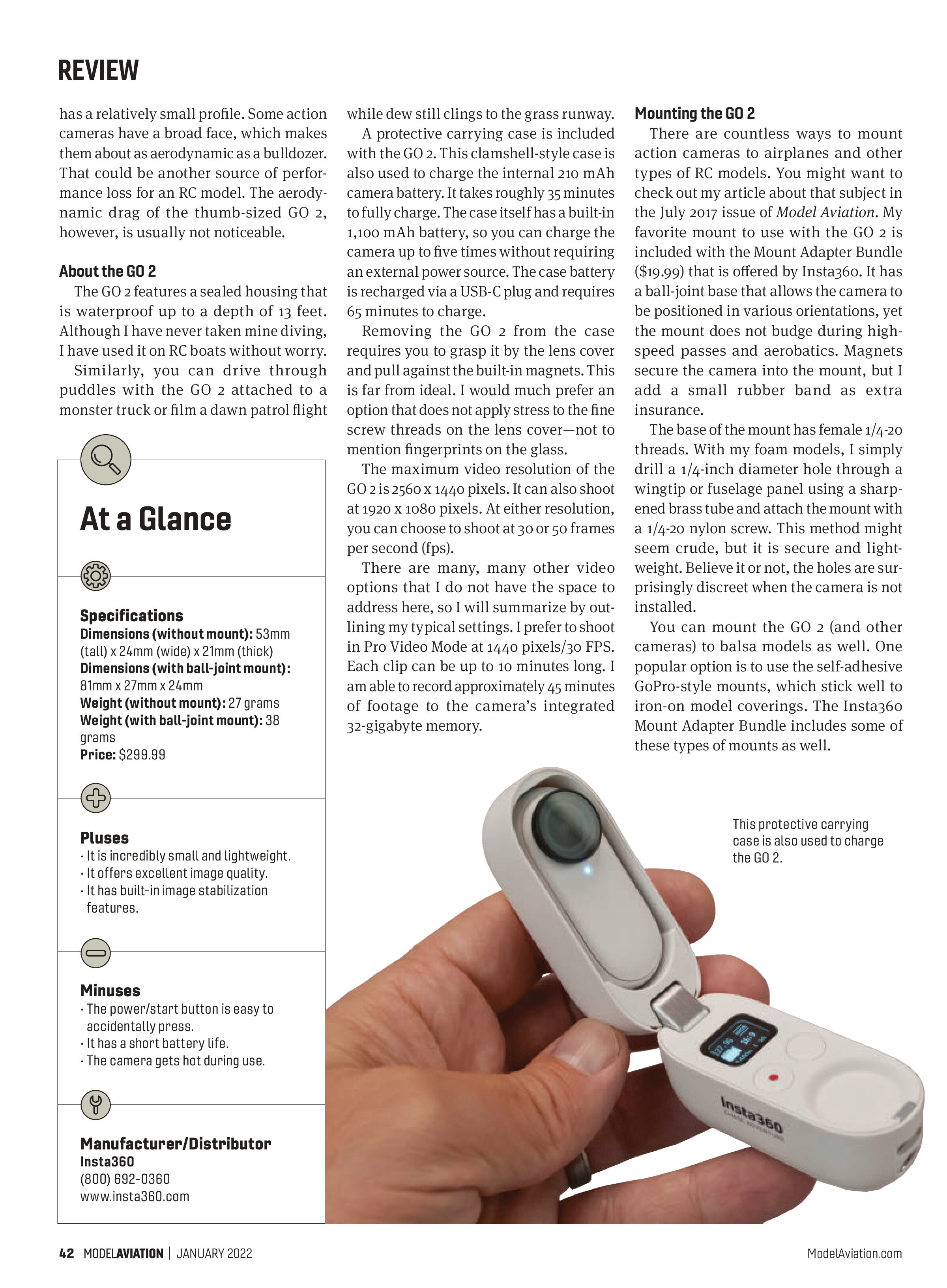
A protective carrying case is included with the GO 2. This clamshell-style case is also used to charge the internal 210 mAh camera battery. It takes roughly 35 minutes to fully charge. The case itself has a built-in 1,100 mAh battery, so you can charge the camera up to five times without requiring an external power source. The case battery is recharged via a USB-C plug and requires 65 minutes to charge.
Removing the GO 2 from the case requires you to grasp it by the lens cover and pull against the built-in magnets. This is far from ideal. I would much prefer an option that does not apply stress to the fine screw threads on the lens cover—not to mention fingerprints on the glass.
The maximum video resolution of the GO 2 is 2560 x 1440 pixels. It can also shoot at 1920 x 1080 pixels. At either resolution, you can choose to shoot at 30 or 50 frames per second (fps).
There are many, many other video options that I do not have the space to address here, so I will summarize by outlining my typical settings. I prefer to shoot in Pro Video Mode at 1440 pixels/30 FPS. Each clip can be up to 10 minutes long. I am able to record approximately 45 minutes of footage to the camera’s integrated 32-gigabyte memory.
Mounting the GO 2
There are countless ways to mount action cameras to airplanes and other types of RC models. You might want to check out my article about that subject in the July 2017 issue of Model Aviation. My favorite mount to use with the GO 2 is included with the Mount Adapter Bundle ($19.99) that is offered by Insta360. It has a ball-joint base that allows the camera to be positioned in various orientations, yet the mount does not budge during high-speed passes and aerobatics. Magnets secure the camera into the mount, but I add a small rubber band as extra insurance.
The base of the mount has female 1/4-20 threads. With my foam models, I simply drill a 1/4-inch diameter hole through a wingtip or fuselage panel using a sharpened brass tube and attach the mount with a 1/4-20 nylon screw. This method might seem crude, but it is secure and lightweight. Believe it or not, the holes are surprisingly discreet when the camera is not installed.
You can mount the GO 2 (and other cameras) to balsa models as well. One popular option is to use the self-adhesive GoPro-style mounts, which stick well to iron-on model coverings. The Insta360 Mount Adapter Bundle includes some of these types of mounts as well.