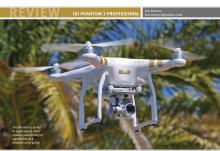
DJI PHANTOM 3 PROFESSIONAL
Jon Barnes
barnesjonr@yahoo.com

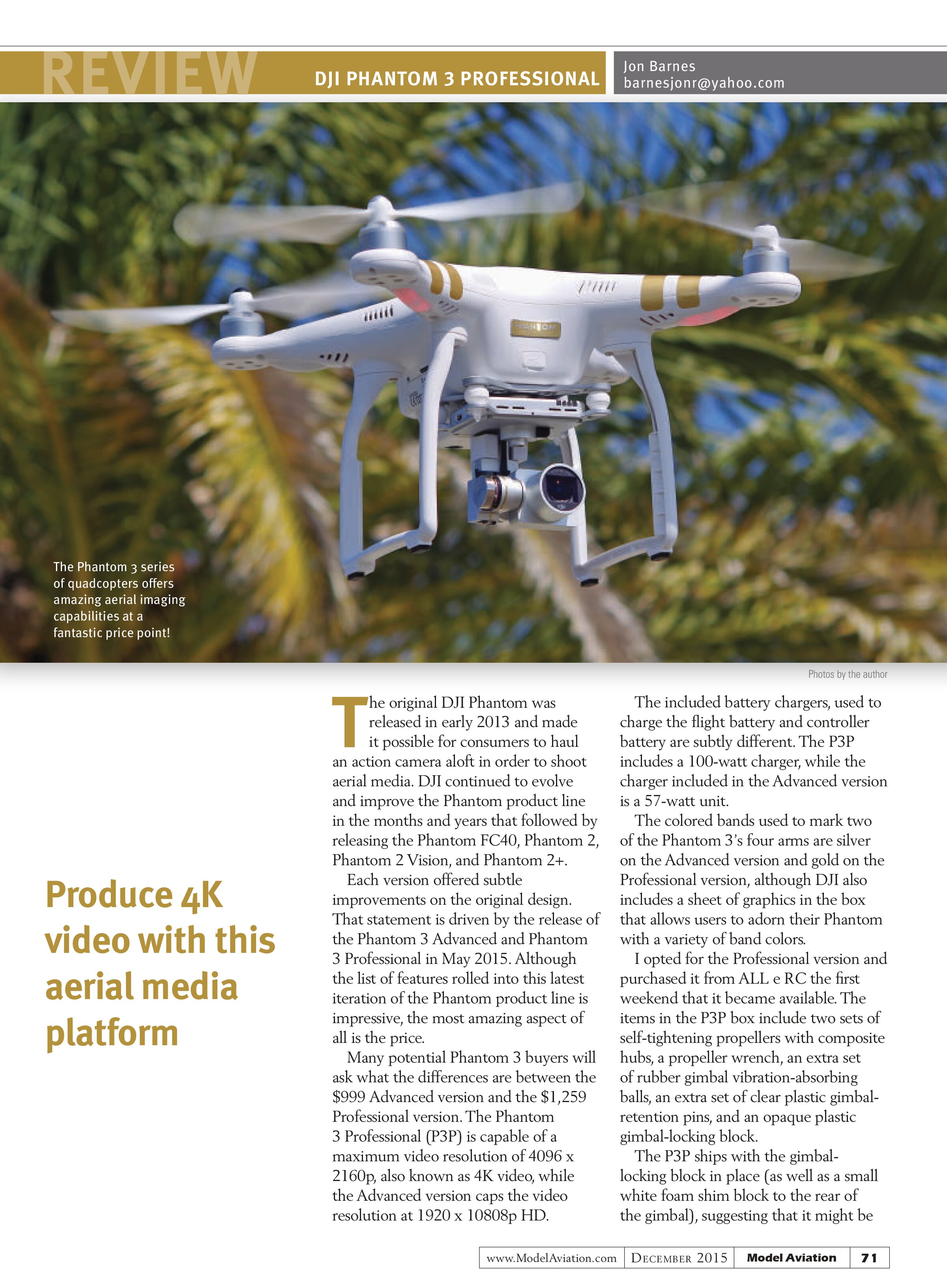
The original DJI Phantom was released in early 2013 and made it possible for consumers to haul an action camera aloft in order to shoot aerial media. DJI continued to evolve and improve the Phantom product line in the months and years that followed by releasing the Phantom FC40, Phantom 2, Phantom 2 Vision, and Phantom 2+.
Each version offered subtle improvements on the original design. That statement is driven by the release of the Phantom 3 Advanced and Phantom 3 Professional in May 2015. Although the list of features rolled into this latest iteration of the Phantom product line is impressive, the most amazing aspect of all is the price.
Many potential Phantom 3 buyers will ask what the differences are between the $999 Advanced version and the $1,259 Professional version. The Phantom 3 Professional (P3P) is capable of a maximum video resolution of 4096 x 2160p, also known as 4K video, while the Advanced version caps the video resolution at 1920 x 1080p HD.
The included battery chargers, used to charge the flight battery and controller battery are subtly different. The P3P includes a 100-watt charger, while the charger included in the Advanced version is a 57-watt unit.
The colored bands used to mark two of the Phantom 3’s four arms are silver on the Advanced version and gold on the Professional version, although DJI also includes a sheet of graphics in the box that allows users to adorn their Phantom with a variety of band colors.
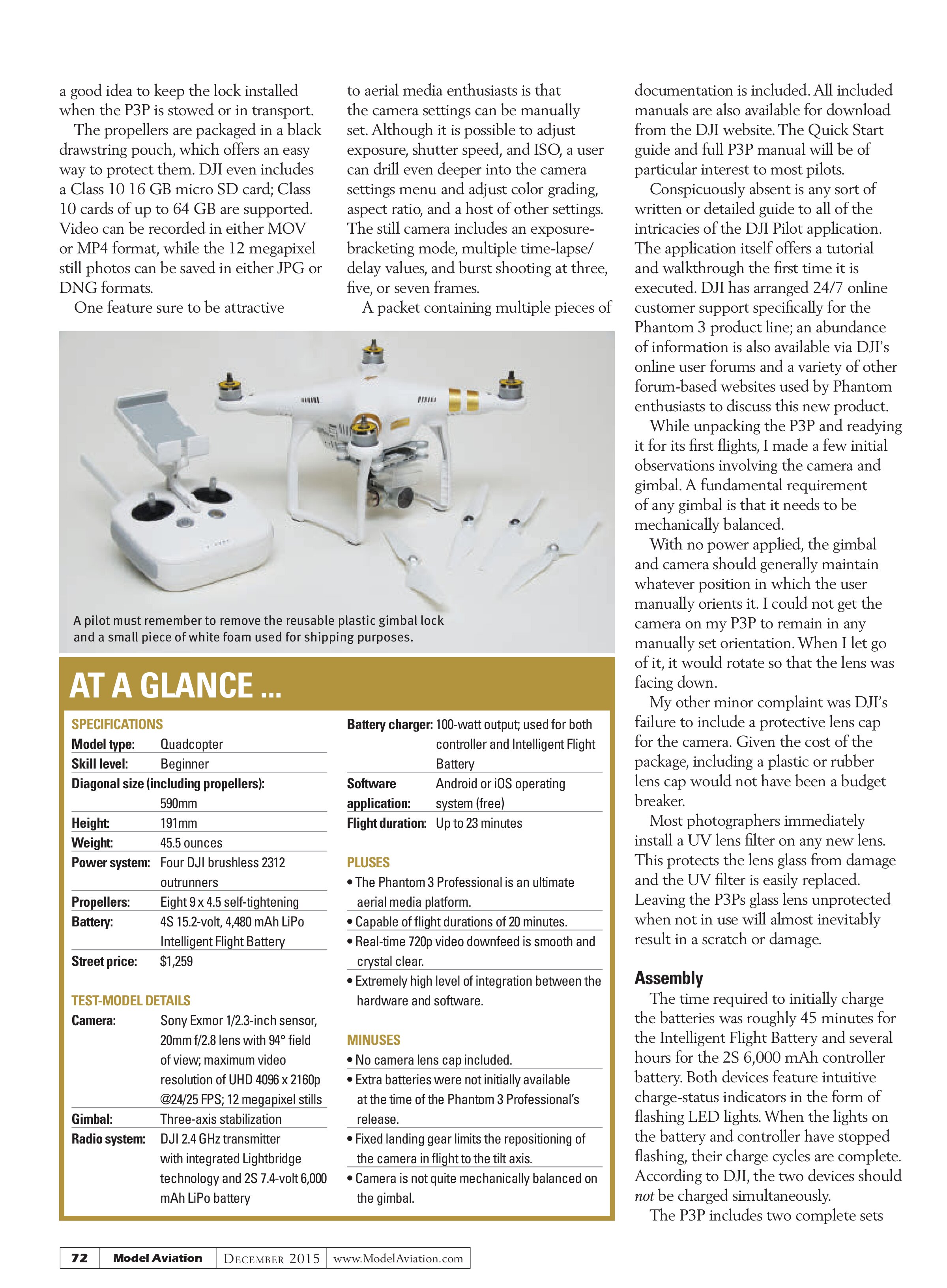
I opted for the Professional version and purchased it from ALL e RC the first weekend that it became available. The items in the P3P box include two sets of self-tightening propellers with composite hubs, a propeller wrench, an extra set of rubber gimbal vibration-absorbing balls, an extra set of clear plastic gimbal-retention pins, and an opaque plastic gimbal-locking block.
The P3P ships with the gimbal-locking block in place (as well as a small white foam shim block to the rear of the gimbal), suggesting that it might be
Produce 4K video with this aerial media platform
a good idea to keep the lock installed when the P3P is stowed or in transport. The propellers are packaged in a black drawstring pouch, which offers an easy way to protect them. DJI even includes a Class 10 16 GB micro SD card; Class 10 cards of up to 64 GB are supported. Video can be recorded in either MOV or MP4 format, while the 12 megapixel still photos can be saved in either JPG or DNG formats. One feature sure to be attractive to aerial media enthusiasts is that the camera settings can be manually set. Although it is possible to adjust exposure, shutter speed, and ISO, a user can drill even deeper into the camera settings menu and adjust color grading, aspect ratio, and a host of other settings. The still camera includes an exposure-bracketing mode, multiple time-lapse/delay values, and burst shooting at three, five, or seven frames. A packet containing multiple pieces of

A pilot must remember to remove the reusable plastic gimbal lock and a small piece of white foam used for shipping purposes.
AT A GLANCE ...
SPECIFICATIONS
Model type: Quadcopter
Skill level: Beginner
Diagonal size (including propellers): 590mm
Height: 191mm
Weight: 45.5 ounces
Power system: Four DJI brushless 2312 outrunners
Propellers: Eight 9 x 4.5 self-tightening
Battery: 4S 15.2-volt, 4,480 mAh LiPo Intelligent Flight Battery
Street price: $1,259
TEST-MODEL DETAILS
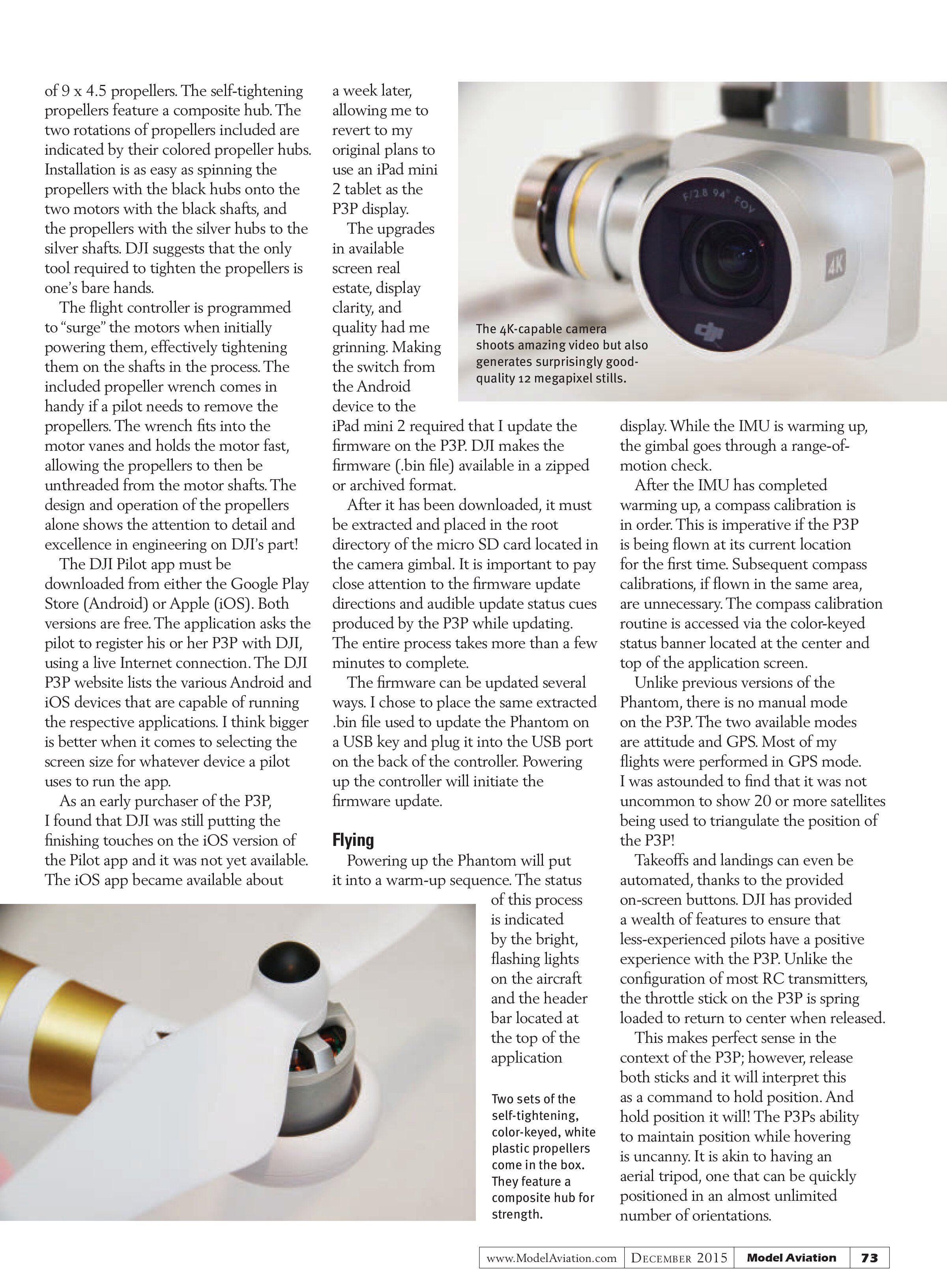
Camera: Sony Exmor 1/2.3-inch sensor, 20mm f/2.8 lens with 94° field of view; maximum video resolution of UHD 4096 x 2160p @24/25 FPS; 12 megapixel stills
Gimbal: Three-axis stabilization
Radio system: DJI 2.4 GHz transmitter with integrated Lightbridge technology and 2S 7.4-volt 6,000 mAh LiPo battery
Battery charger: 100-watt output; used for both controller and Intelligent Flight Battery
Software application: Android or iOS operating system (free)
Flight duration: Up to 23 minutes
PLUSES
- The Phantom 3 Professional is an ultimate aerial media platform.
- Capable of flight durations of 20 minutes.
- Real-time 720p video downfeed is smooth and crystal clear.
- Extremely high level of integration between the hardware and software.
MINUSES
- No camera lens cap included.
- Extra batteries were not initially available at the time of the Phantom 3 Professional’s release.
- Fixed landing gear limits the repositioning of the camera in flight to the tilt axis.
- Camera is not quite mechanically balanced on the gimbal.
documentation is included. All included manuals are also available for download from the DJI website. The Quick Start guide and full P3P manual will be of particular interest to most pilots. Conspicuously absent is any sort of written or detailed guide to all of the intricacies of the DJI Pilot application. The application itself offers a tutorial and walkthrough the first time it is executed. DJI has arranged 24/7 online customer support specifically for the Phantom 3 product line; an abundance of information is also available via DJI’s online user forums and a variety of other forum-based websites used by Phantom enthusiasts to discuss this new product. While unpacking the P3P and readying it for its first flights, I made a few initial observations involving the camera and gimbal. A fundamental requirement of any gimbal is that it needs to be mechanically balanced. With no power applied, the gimbal and camera should generally maintain whatever position in which the user manually orients it. I could not get the camera on my P3P to remain in any manually set orientation. When I let go of it, it would rotate so that the lens was facing down. My other minor complaint was DJI’s failure to include a protective lens cap for the camera. Given the cost of the package, including a plastic or rubber lens cap would not have been a budget breaker. Most photographers immediately install a UV lens filter on any new lens. This protects the lens glass from damage and the UV filter is easily replaced. Leaving the P3Ps glass lens unprotected when not in use will almost inevitably result in a scratch or damage.
Assembly
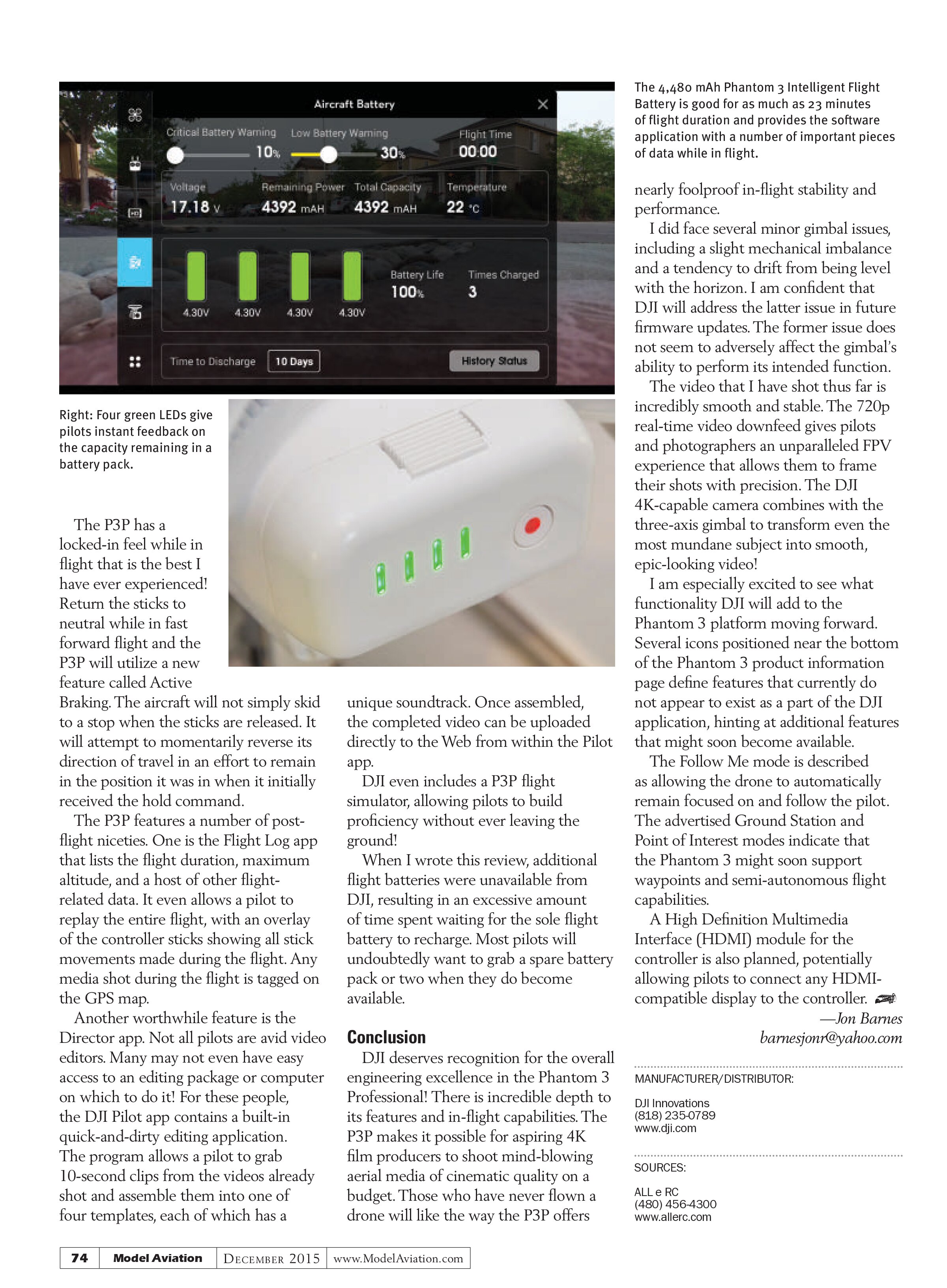
The time required to initially charge the batteries was roughly 45 minutes for the Intelligent Flight Battery and several hours for the 2S 6,000 mAh controller battery. Both devices feature intuitive charge-status indicators in the form of flashing LED lights. When the lights on the battery and controller have stopped flashing, their charge cycles are complete. According to DJI, the two devices should not be charged simultaneously. The P3P includes two complete sets of 9 x 4.5 propellers. The self-tightening propellers feature a composite hub. The two rotations of propellers included are indicated by their colored propeller hubs. Installation is as easy as spinning the propellers with the black hubs onto the two motors with the black shafts, and the propellers with the silver hubs to the silver shafts. DJI suggests that the only tool required to tighten the propellers is one’s bare hands. The flight controller is programmed to “surge” the motors when initially powering them, effectively tightening them on the shafts in the process. The included propeller wrench comes in handy if a pilot needs to remove the propellers. The wrench fits into the motor vanes and holds the motor fast, allowing the propellers to then be unthreaded from the motor shafts. The design and operation of the propellers alone shows the attention to detail and excellence in engineering on DJI’s part!
The DJI Pilot app must be downloaded from either the Google Play Store (Android) or Apple (iOS). Both versions are free. The application asks the pilot to register his or her P3P with DJI, using a live Internet connection. The DJI P3P website lists the various Android and iOS devices that are capable of running the respective applications. I think bigger is better when it comes to selecting the screen size for whatever device a pilot uses to run the app. As an early purchaser of the P3P, I found that DJI was still putting the finishing touches on the iOS version of the Pilot app and it was not yet available. The iOS app became available about a week later, allowing me to revert to my original plans to use an iPad mini 2 tablet as the P3P display. The upgrades in available screen real estate, display clarity, and quality had me grinning. Making the switch from the Android device to the iPad mini 2 required that I update the firmware on the P3P. DJI makes the firmware (.bin file) available in a zipped or archived format. After it has been downloaded, it must be extracted and placed in the root directory of the micro SD card located in the camera gimbal. It is important to pay close attention to the firmware update directions and audible update status cues produced by the P3P while updating. The entire process takes more than a few minutes to complete. The firmware can be updated several ways. I chose to place the same extracted .bin file used to update the Phantom on a USB key and plug it into the USB port on the back of the controller. Powering up the controller will initiate the firmware update.
Flying
Powering up the Phantom will put it into a warm-up sequence. The status of this process is indicated by the bright, flashing lights on the aircraft and the header bar located at the top of the application display. While the IMU is warming up, the gimbal goes through a range-of-motion check. After the IMU has completed warming up, a compass calibration is in order. This is imperative if the P3P is being flown at its current location for the first time. Subsequent compass calibrations, if flown in the same area, are unnecessary. The compass calibration routine is accessed via the color-keyed status banner located at the center and top of the application screen. Unlike previous versions of the Phantom, there is no manual mode on the P3P. The two available modes are attitude and GPS. Most of my flights were performed in GPS mode. I was astounded to find that it was not uncommon to show 20 or more satellites being used to triangulate the position of the P3P! Takeoffs and landings can even be automated, thanks to the provided on-screen buttons. DJI has provided a wealth of features to ensure that less-experienced pilots have a positive experience with the P3P. Unlike the configuration of most RC transmitters, the throttle stick on the P3P is spring loaded to return to center when released. This makes perfect sense in the context of the P3P; however, release both sticks and it will interpret this as a command to hold position. And hold position it will! The P3Ps ability to maintain position while hovering is uncanny. It is akin to having an aerial tripod, one that can be quickly positioned in an almost unlimited number of orientations.

The 4K-capable camera shoots amazing video but also generates surprisingly good-quality 12 megapixel stills.

Two sets of the self-tightening, color-keyed, white plastic propellers come in the box. They feature a composite hub for strength.
The P3P has a locked-in feel while in flight that is the best I have ever experienced! Return the sticks to neutral while in fast forward flight and the P3P will utilize a new feature called Active Braking. The aircraft will not simply skid to a stop when the sticks are released. It will attempt to momentarily reverse its direction of travel in an effort to remain in the position it was in when it initially received the hold command.
The P3P features a number of post-flight niceties. One is the Flight Log app that lists the flight duration, maximum altitude, and a host of other flight-related data. It even allows a pilot to replay the entire flight, with an overlay of the controller sticks showing all stick movements made during the flight. Any media shot during the flight is tagged on the GPS map.
Another worthwhile feature is the Director app. Not all pilots are avid video editors. Many may not even have easy access to an editing package or computer on which to do it! For these people, the DJI Pilot app contains a built-in quick-and-dirty editing application. The program allows a pilot to grab 10-second clips from the videos already shot and assemble them into one of four templates, each of which has a unique soundtrack. Once assembled, the completed video can be uploaded directly to the Web from within the Pilot app.
DJI even includes a P3P flight simulator, allowing pilots to build proficiency without ever leaving the ground!
When I wrote this review, additional flight batteries were unavailable from DJI, resulting in an excessive amount of time spent waiting for the sole flight battery to recharge. Most pilots will undoubtedly want to grab a spare battery pack or two when they do become available.
Conclusion
DJI deserves recognition for the overall engineering excellence in the Phantom 3 Professional! There is incredible depth to its features and in-flight capabilities. The P3P makes it possible for aspiring 4K film producers to shoot mind-blowing aerial media of cinematic quality on a budget. Those who have never flown a drone will like the way the P3P offers


nearly foolproof in-flight stability and performance.
I did face several minor gimbal issues, including a slight mechanical imbalance and a tendency to drift from being level with the horizon. I am confident that DJI will address the latter issue in future firmware updates. The former issue does not seem to adversely affect the gimbal’s ability to perform its intended function.
The video that I have shot thus far is incredibly smooth and stable. The 720p real-time video downfeed gives pilots and photographers an unparalleled FPV experience that allows them to frame their shots with precision. The DJI 4K-capable camera combines with the three-axis gimbal to transform even the most mundane subject into smooth, epic-looking video!
I am especially excited to see what functionality DJI will add to the Phantom 3 platform moving forward. Several icons positioned near the bottom of the Phantom 3 product information page define features that currently do not appear to exist as a part of the DJI application, hinting at additional features that might soon become available.
The Follow Me mode is described as allowing the drone to automatically remain focused on and follow the pilot. The advertised Ground Station and Point of Interest modes indicate that the Phantom 3 might soon support waypoints and semi-autonomous flight capabilities.
A High Definition Multimedia Interface (HDMI) module for the controller is also planned, potentially allowing pilots to connect any HDMI-compatible display to the controller.
—Jon Barnes
barnesjonr@yahoo.com
MANUFACTURER/DISTRIBUTOR:
DJI Innovations
(818) 235-0789
www.dji.com
SOURCES:
ALL e RC
(480) 456-4300
www.allerc.com