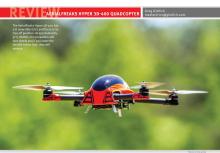
Aerialfreaks Hyper 3D-400 Quadcopter
Greg Gimlick
maelectrics@gimlick.com
3-D flying isn’t just for airplanes and helicopters

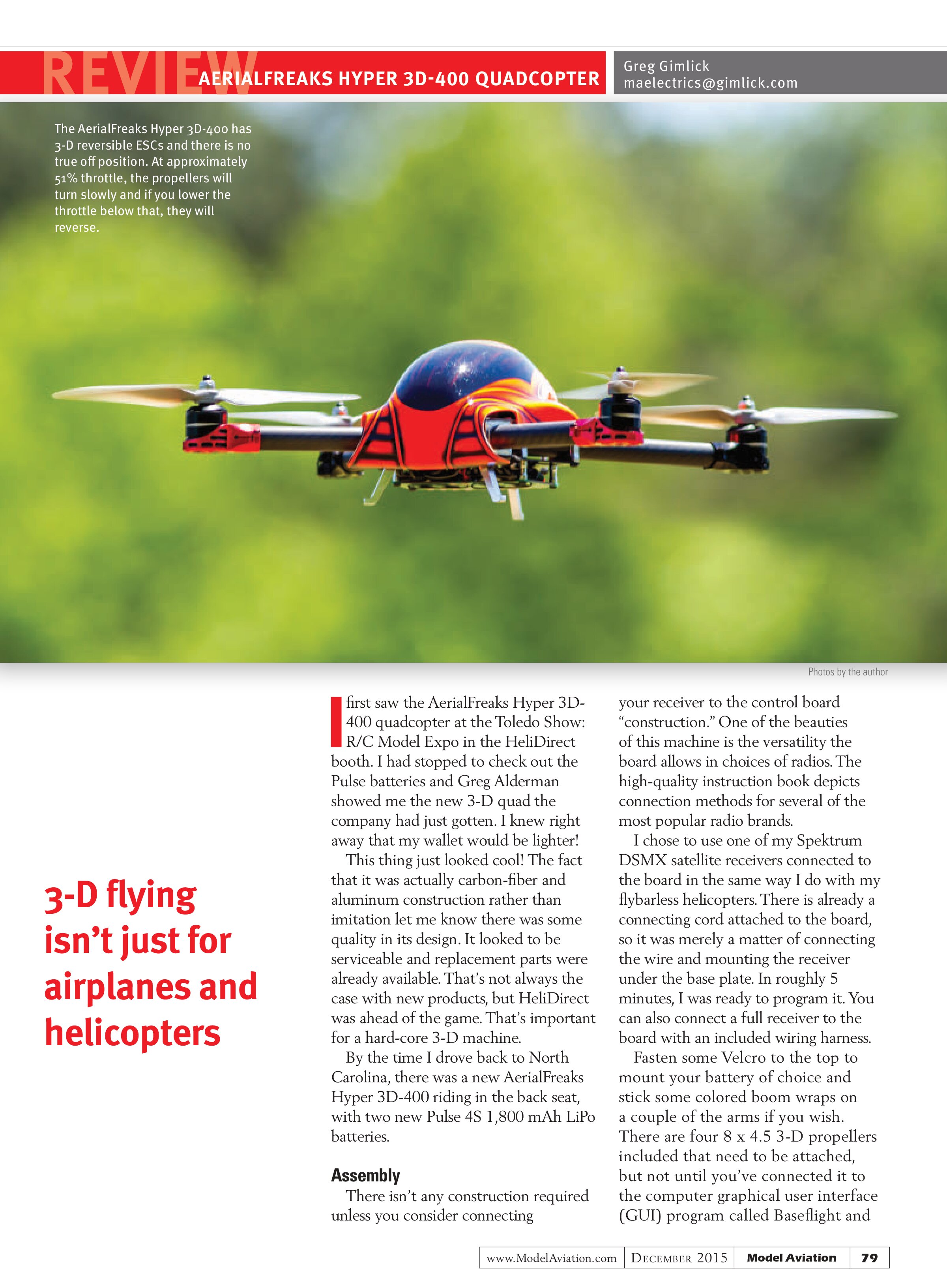
The AerialFreaks Hyper 3D-400 has 3-D reversible ESCs and there is no true off position. At approximately 51% throttle, the propellers will turn slowly and if you lower the throttle below that, they will reverse.
I first saw the AerialFreaks Hyper 3D-400 quadcopter at the Toledo Show: R/C Model Expo in the HeliDirect booth. I had stopped to check out the Pulse batteries and Greg Alderman showed me the new 3-D quad the company had just gotten. I knew right away that my wallet would be lighter!
This thing just looked cool! The fact that it was actually carbon-fiber and aluminum construction rather than imitation let me know there was some quality in its design. It looked to be serviceable and replacement parts were already available. That’s not always the case with new products, but HeliDirect was ahead of the game. That’s important for a hard-core 3-D machine.
By the time I drove back to North Carolina, there was a new AerialFreaks Hyper 3D-400 riding in the back seat, with two new Pulse 4S 1,800 mAh LiPo batteries.
Assembly
There isn’t any construction required unless you consider connecting your receiver to the control board “construction.” One of the beauties of this machine is the versatility the board allows in choices of radios. The high-quality instruction book depicts connection methods for several of the most popular radio brands.
I chose to use one of my Spektrum DSMX satellite receivers connected to the board in the same way I do with my flybarless helicopters. There is already a connecting cord attached to the board, so it was merely a matter of connecting the wire and mounting the receiver under the base plate. In roughly 5 minutes, I was ready to program it. You can also connect a full receiver to the board with an included wiring harness.
Fasten some Velcro to the top to mount your battery of choice and stick some colored boom wraps on a couple of the arms if you wish. There are four 8 x 4.5 3-D propellers included that need to be attached, but not until you’ve connected it to the computer graphical user interface (GUI) program called Baseflight and
have done the initial calibrations. Instructions for configuring your computer and downloading the necessary software are explained well in the manual. You will need a USB cable with one micro end to connect the quad to your laptop.
Radio Setup
The Hyper 3D-400 is designed to be set up as a new model using the acro or airplane setting on your radio. It can be done in the heli mode if you’re comfortable with working out some of the settings.
The advantage to this would be the extra programming versatility, but I chose to set it up in the airplane mode as described in the manual. Each major radio brand has its own section that describes which channels to reverse and what to set the travels to. This handy information allows you to get flying quickly.
During the setup, you will be instructed to set the gear for a three-position switch. This will give you three flight modes, but the first position in stick position “0” will be fully off. The board will initialize and the ESCs will partially arm, but throttle will not cause the propellers to turn. The ESCs are fully armed for flight in the third position of the gear switch. To completely kill the throttle, move the switch to the first position. When it’s armed, you are in full 3-D mode.
Baseflight GUI Interface
Baseflight is the configuration software to use and those pertinent screens are depicted in full color in the manual, ensuring success even if you’ve never had to tweak the settings of a control board before. The screens are shown in full color exactly as you’ll see them on your laptop after you’re connected.
The key thing to remember during this step is that each time you complete the settings on a screen, be sure to hit the save button at the bottom before going to the next screen. You don’t need to understand what all of the numbers mean, but you must set them exactly as shown in the manual. You will eventually learn what they all mean and do.
Preflight
After everything is programmed as depicted in the manual and configured with the GUI, you’re ready for the test flight. Only after going through all of the steps in the setup portion of the manual do you want to attach the propellers.
During the setup, you already verified each motor turns the proper direction. Now attach the propellers and note the proper orientation according to the manual. After the battery is connected and you’ve heard the appropriate signals, you’re ready to go. Be sure to let the quadcopter sit stationary for a minute or so after arming to allow the board to fully initialize.
One particular note: after arming the motors and advancing the throttle to approximately halfway, the motors will begin

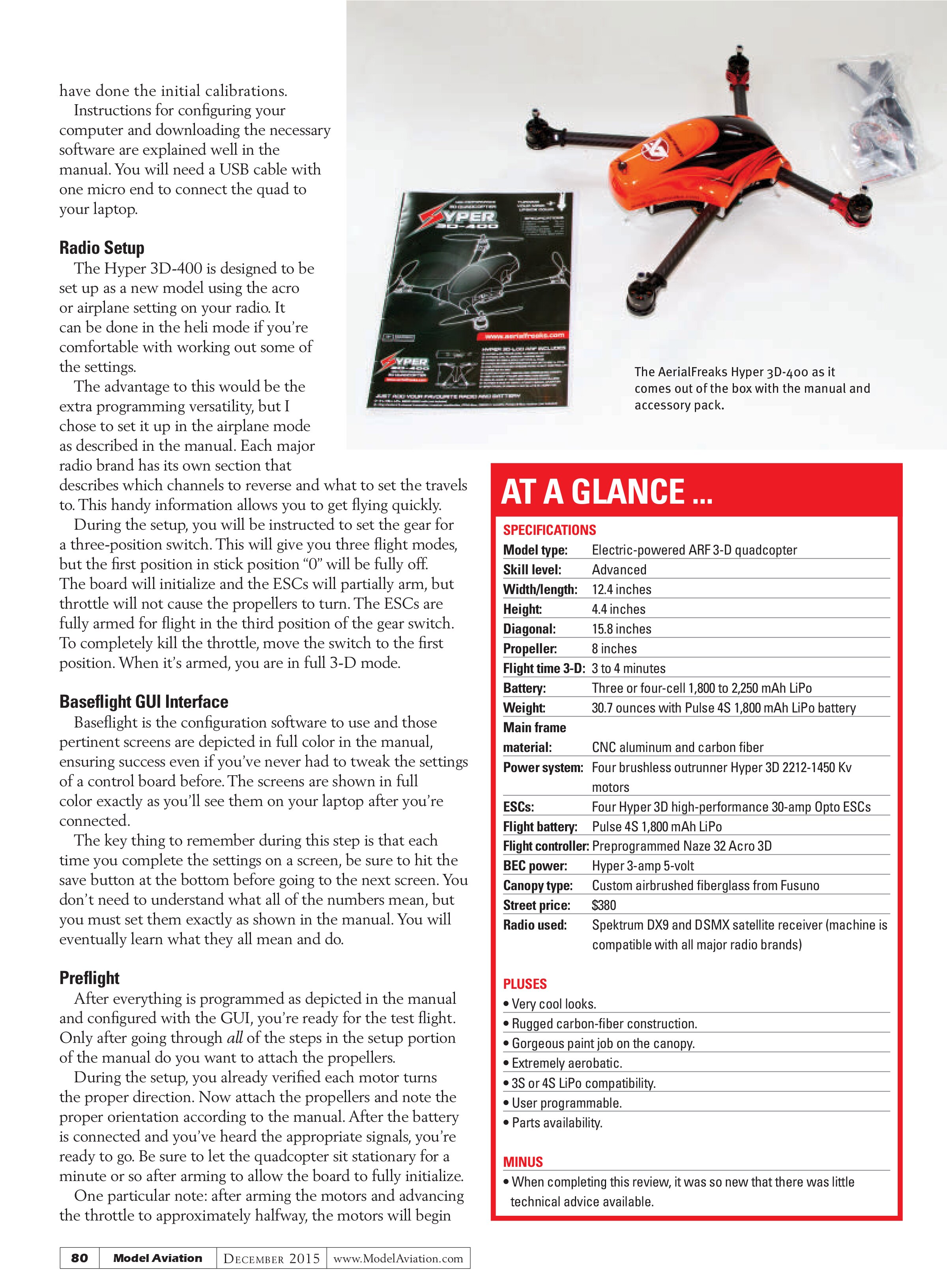
The AerialFreaks Hyper 3D-400 as it comes out of the box with the manual and accessory pack.
AT A GLANCE ...
SPECIFICATIONS
Model type: Electric-powered ARF 3-D quadcopter
Skill level: Advanced
Width/length: 12.4 inches
Height: 4.4 inches
Diagonal: 15.8 inches
Propeller: 8 inches
Flight time 3-D: 3 to 4 minutes
Battery: Three or four-cell 1,800 to 2,250 mAh LiPo
Weight: 30.7 ounces with Pulse 4S 1,800 mAh LiPo battery
Main frame material: CNC aluminum and carbon fiber
Power system: Four brushless outrunner Hyper 3D 2212-1450 Kv motors
ESCs: Four Hyper 3D high-performance 30-amp Opto ESCs
Flight battery: Pulse 4S 1,800 mAh LiPo
Flight controller: Preprogrammed Naze 32 Acro 3D
BEC power: Hyper 3-amp 5-volt
Canopy type: Custom airbrushed fiberglass from Fusuno
Street price: $380
Radio used: Spektrum DX9 and DSMX satellite receiver (machine is compatible with all major radio brands)
PLUSES
- Very cool looks.
- Rugged carbon-fiber construction.
- Gorgeous paint job on the canopy.
- Extremely aerobatic.
- 3S or 4S LiPo compatibility.
- User programmable.
- Parts availability.
MINUS
When completing this review, it was so new that there was little technical advice available.

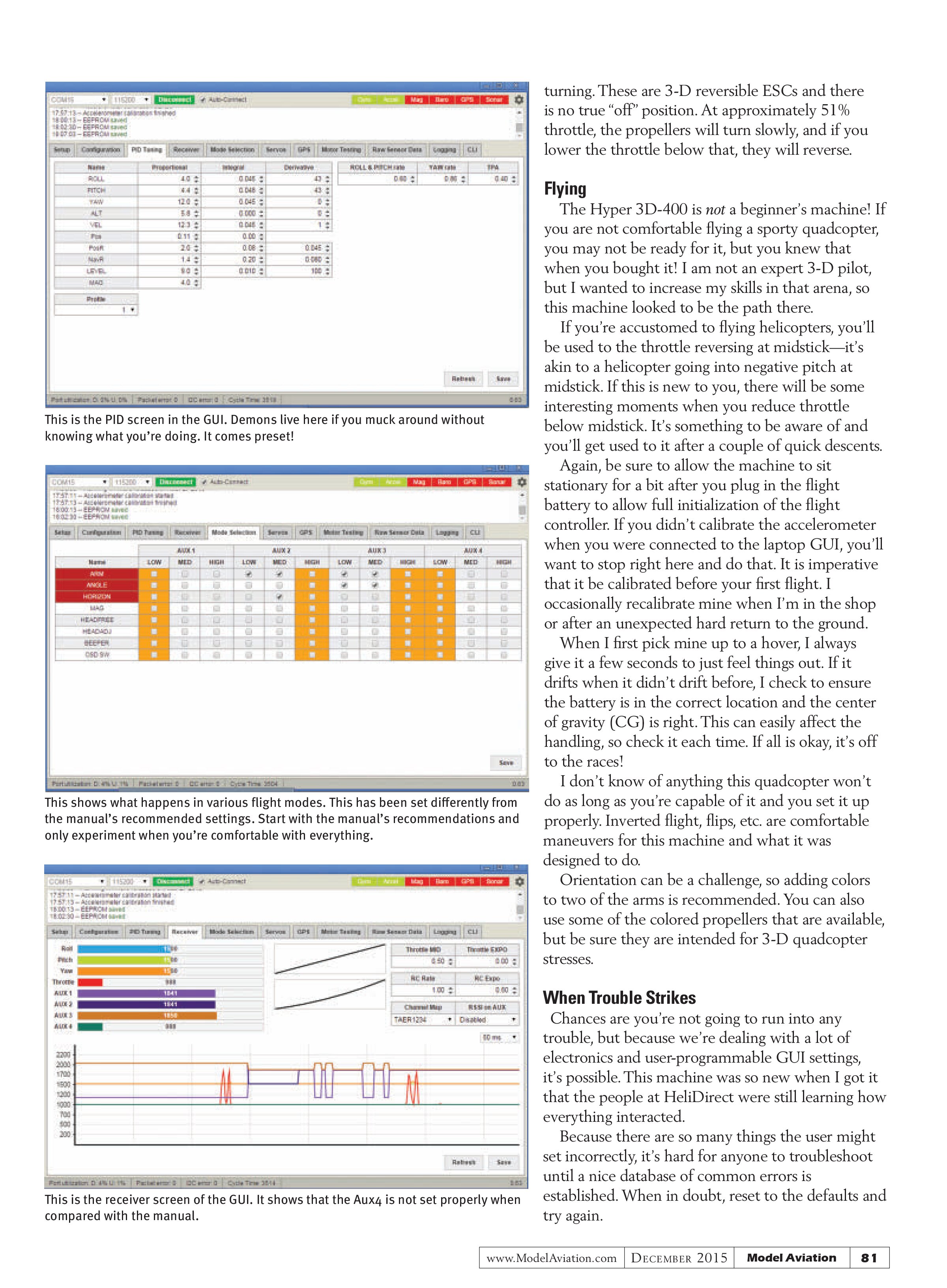
This is the PID screen in the GUI. Demons live here if you muck around without knowing what you’re doing. It comes preset!

This shows what happens in various flight modes. This has been set differently from the manual’s recommended settings. Start with the manual’s recommendations and only experiment when you’re comfortable with everything.

This is the receiver screen of the GUI. It shows that the Aux4 is not set properly when compared with the manual.
turning. These are 3-D reversible ESCs and there is no true “off” position. At approximately 51% throttle, the propellers will turn slowly, and if you lower the throttle below that, they will reverse.
Flying
The Hyper 3D-400 is not a beginner’s machine! If you are not comfortable flying a sporty quadcopter, you may not be ready for it, but you knew that when you bought it! I am not an expert 3-D pilot, but I wanted to increase my skills in that arena, so this machine looked to be the path there.
If you’re accustomed to flying helicopters, you’ll be used to the throttle reversing at midstick—it’s akin to a helicopter going into negative pitch at midstick. If this is new to you, there will be some interesting moments when you reduce throttle below midstick. It’s something to be aware of and you’ll get used to it after a couple of quick descents.
Again, be sure to allow the machine to sit stationary for a bit after you plug in the flight battery to allow full initialization of the flight controller. If you didn’t calibrate the accelerometer when you were connected to the laptop GUI, you’ll want to stop right here and do that. It is imperative that it be calibrated before your first flight. I occasionally recalibrate mine when I’m in the shop or after an unexpected hard return to the ground.
When I first pick mine up to a hover, I always give it a few seconds to just feel things out. If it drifts when it didn’t drift before, I check to ensure the battery is in the correct location and the center of gravity (CG) is right. This can easily affect the handling, so check it each time. If all is okay, it’s off to the races!
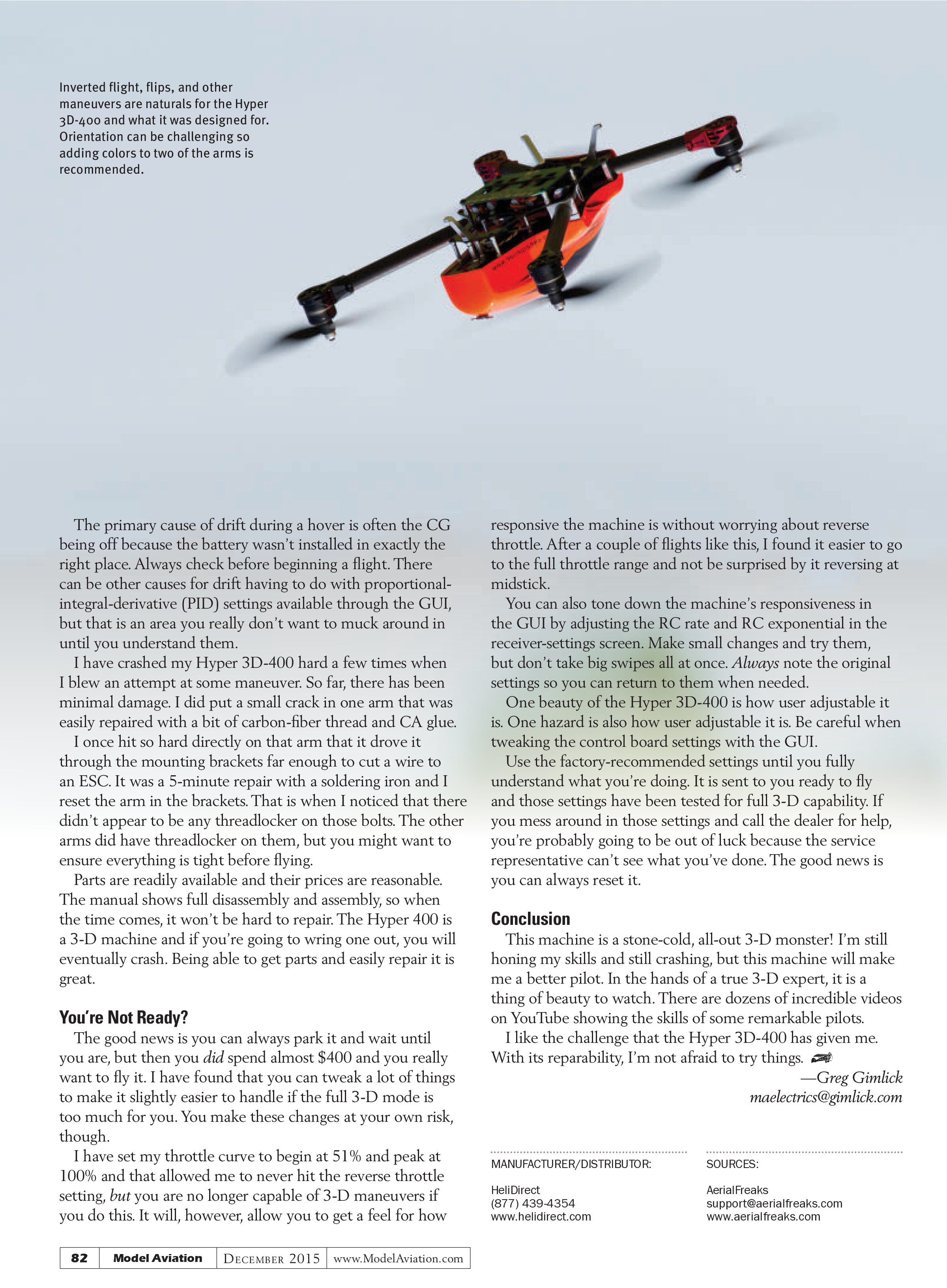
I don’t know of anything this quadcopter won’t do as long as you’re capable of it and you set it up properly. Inverted flight, flips, etc. are comfortable maneuvers for this machine and what it was designed to do.
Orientation can be a challenge, so adding colors to two of the arms is recommended. You can also use some of the colored propellers that are available, but be sure they are intended for 3-D quadcopter stresses.
When Trouble Strikes
Chances are you’re not going to run into any trouble, but because we’re dealing with a lot of electronics and user-programmable GUI settings, it’s possible. This machine was so new when I got it that the people at HeliDirect were still learning how everything interacted.
Because there are so many things the user might set incorrectly, it’s hard for anyone to troubleshoot until a nice database of common errors is established. When in doubt, reset to the defaults and try again.
The primary cause of drift during a hover is often the CG being off because the battery wasn’t installed in exactly the right place. Always check before beginning a flight. There can be other causes for drift having to do with proportional-integral-derivative (PID) settings available through the GUI, but that is an area you really don’t want to muck around in until you understand them.
I have crashed my Hyper 3D-400 hard a few times when I blew an attempt at some maneuver. So far, there has been minimal damage. I did put a small crack in one arm that was easily repaired with a bit of carbon-fiber thread and CA glue.
I once hit so hard directly on that arm that it drove it through the mounting brackets far enough to cut a wire to an ESC. It was a 5-minute repair with a soldering iron and I reset the arm in the brackets. That is when I noticed that there didn’t appear to be any threadlocker on those bolts. The other arms did have threadlocker on them, but you might want to ensure everything is tight before flying.
Parts are readily available and their prices are reasonable. The manual shows full disassembly and assembly, so when the time comes, it won’t be hard to repair. The Hyper 400 is a 3-D machine and if you’re going to wring one out, you will eventually crash. Being able to get parts and easily repair it is great.
You’re Not Ready?
The good news is you can always park it and wait until you are, but then you did spend almost $400 and you really want to fly it. I have found that you can tweak a lot of things to make it slightly easier to handle if the full 3-D mode is too much for you. You make these changes at your own risk, though.
I have set my throttle curve to begin at 51% and peak at 100% and that allowed me to never hit the reverse throttle setting, but you are no longer capable of 3-D maneuvers if you do this. It will, however, allow you to get a feel for how responsive the machine is without worrying about reverse throttle. After a couple of flights like this, I found it easier to go to the full throttle range and not be surprised by it reversing at midstick.
You can also tone down the machine’s responsiveness in the GUI by adjusting the RC rate and RC exponential in the receiver-settings screen. Make small changes and try them, but don’t take big swipes all at once. Always note the original settings so you can return to them when needed.
One beauty of the Hyper 3D-400 is how user adjustable it is. One hazard is also how user adjustable it is. Be careful when tweaking the control board settings with the GUI.
Use the factory-recommended settings until you fully understand what you’re doing. It is sent to you ready to fly and those settings have been tested for full 3-D capability. If you mess around in those settings and call the dealer for help, you’re probably going to be out of luck because the service representative can’t see what you’ve done. The good news is you can always reset it.
Conclusion
This machine is a stone-cold, all-out 3-D monster! I’m still honing my skills and still crashing, but this machine will make me a better pilot. In the hands of a true 3-D expert, it is a thing of beauty to watch. There are dozens of incredible videos on YouTube showing the skills of some remarkable pilots.
I like the challenge that the Hyper 3D-400 has given me. With its repairability, I’m not afraid to try things.
—Greg Gimlick
maelectrics@gimlick.com
MANUFACTURER/DISTRIBUTOR:
HeliDirect
(877) 439-4354
www.helidirect.com
SOURCES:
AerialFreaks
support@aerialfreaks.com
www.aerialfreaks.com