Getting a new laser cutter
Joe Malinchak
joemal@echoes.net
For years, I told my friends that I planned to purchase a laser-cutting machine. Not having to cut the parts by hand for my designs would be a real timesaver, but I kept putting off the purchase.
One reason was the cost, although I have seen them come down in price during the last few years. Other factors included finding the right machine to fit my needs, and finding a reputable company that sells them. I plan to use the machine for personal use as well as for a potential side business, so it was time to do some research and make a purchase!
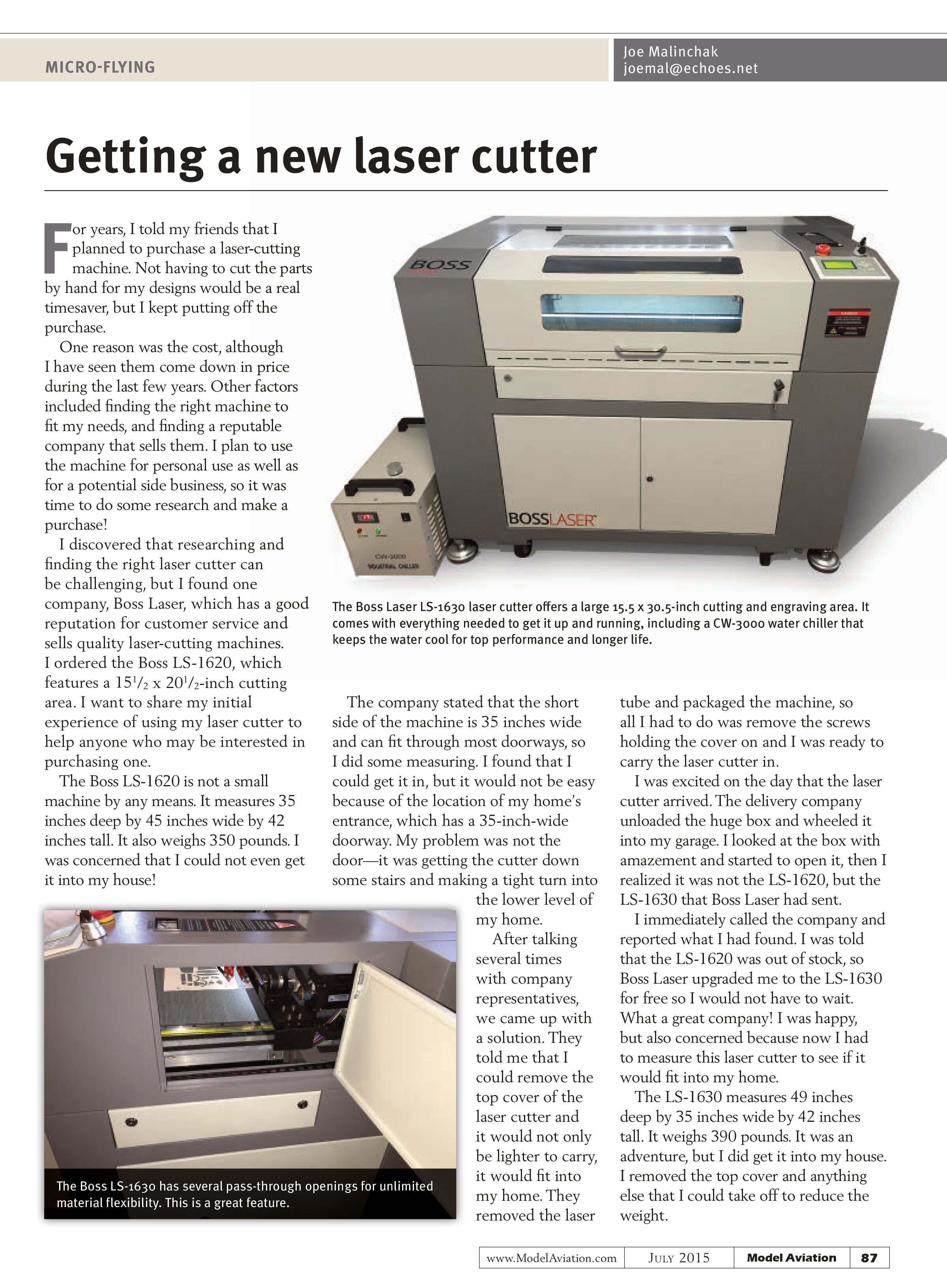
I discovered that researching and finding the right laser cutter can be challenging, but I found one company, Boss Laser, which has a good reputation for customer service and sells quality laser-cutting machines. I ordered the Boss LS-1620, which features a 15½ x 20½-inch cutting area. I want to share my initial experience of using my laser cutter to help anyone who may be interested in purchasing one.
The Boss LS-1620 is not a small machine by any means. It measures 35 inches deep by 45 inches wide by 42 inches tall. It also weighs 350 pounds. I was concerned that I could not even get it into my house!

The company stated that the short side of the machine is 35 inches wide and can fit through most doorways, so I did some measuring. I found that I could get it in, but it would not be easy because of the location of my home’s entrance, which has a 35-inch-wide doorway. My problem was not the door—it was getting the cutter down some stairs and making a tight turn into the lower level of my home.
After talking several times with company representatives, we came up with a solution. They told me that I could remove the top cover of the laser cutter and it would not only be lighter to carry, it would fit into my home. They removed the laser tube and packaged the machine, so all I had to do was remove the screws holding the cover on and I was ready to carry the laser cutter in.
I was excited on the day that the laser cutter arrived. The delivery company unloaded the huge box and wheeled it into my garage. I looked at the box with amazement and started to open it, then I realized it was not the LS-1620, but the LS-1630 that Boss Laser had sent.
I immediately called the company and reported what I had found. I was told that the LS-1620 was out of stock, so Boss Laser upgraded me to the LS-1630 for free so I would not have to wait. What a great company! I was happy, but also concerned because now I had to measure this laser cutter to see if it would fit into my home.
The LS-1630 measures 49 inches deep by 35 inches wide by 42 inches tall. It weighs 390 pounds. It was an adventure, but I did get it into my house. I removed the top cover and anything else that I could take off to reduce the weight.

Its motorized Z-table can accommodate objects up to 14 inches tall. It also has five pass-through openings for larger materials. The unit comes with an inline beam combiner that combines a red beam with the laser to pinpoint a red dot on the material for better accuracy and alignment.
Setting up the laser cutter was fairly easy. Boss Laser has a helpful setup video on its website that guides you through the basics. The CW-3000 water chiller is a water pump that circulates water through the CO2 laser tube for cooling and consistent power. The water pump must be on for the laser to fire. When everything is hooked up, it is time to test the laser and make sure that the laser tube and mirrors are properly aligned.
Boss Laser tests and aligns each unit it sells before shipping it. The LS-series operator’s manual gives you a detailed outline for how to align the laser. It is a good idea to learn this procedure right away because you will need to check the alignment once a month for proper operation.
Cover each mirror with masking tape—or in my case I made removable covers from lightweight plywood—and shoot a test shot of the laser beam onto each mirror. Adjust each mirror so that the laser beam hits each one in the center. It can take some time to get everything right, but when your laser is properly aligned, it will give you beautiful, accurate cuts!
After my laser was aligned, it was time to see what it could do! I made some simple test cuts in plywood, balsa, and foam, and the laser cutter performed beautifully. However, my main concern was to see if the laser cutter could accurately cut my small, printed model parts. I knew that I would have to make some sort of jig to do this.
I cut a simple alignment jig out of paper and placed a paper print of one of my designs in it. I was happy with the results. The laser cutter quickly and accurately cut out my parts!
Boss Laser sells quality entry-level and industrial CO2 laser cutters, and offers great product support. If you are looking for a laser cutter or engraver for personal or business use, I highly recommend the company. Please see Boss Laser’s website for more information about its products and prices.
SOURCES:
Boss Laser
(888) 652-1555
www.bosslaser.com